
Best practices, Deliverability
Best practices, Deliverability
Email bounces are like digital return-to-sender notices, but understanding their intricacies can make the difference between successful email campaigns and deliverability disasters.
In this comprehensive guide, we’ll explore everything you need to know about soft and hard bounces, their implications, and how to manage them effectively.
When an email fails to reach its intended recipient, it “bounces” back to the sender with a notification explaining why the delivery failed.
These bounces are indicators of your email program’s health and can significantly impact your sender reputation.
Managing email bounces isn’t just about maintaining clean lists — it’s about protecting your entire email marketing infrastructure.
Here’s why bounce management deserves your attention:
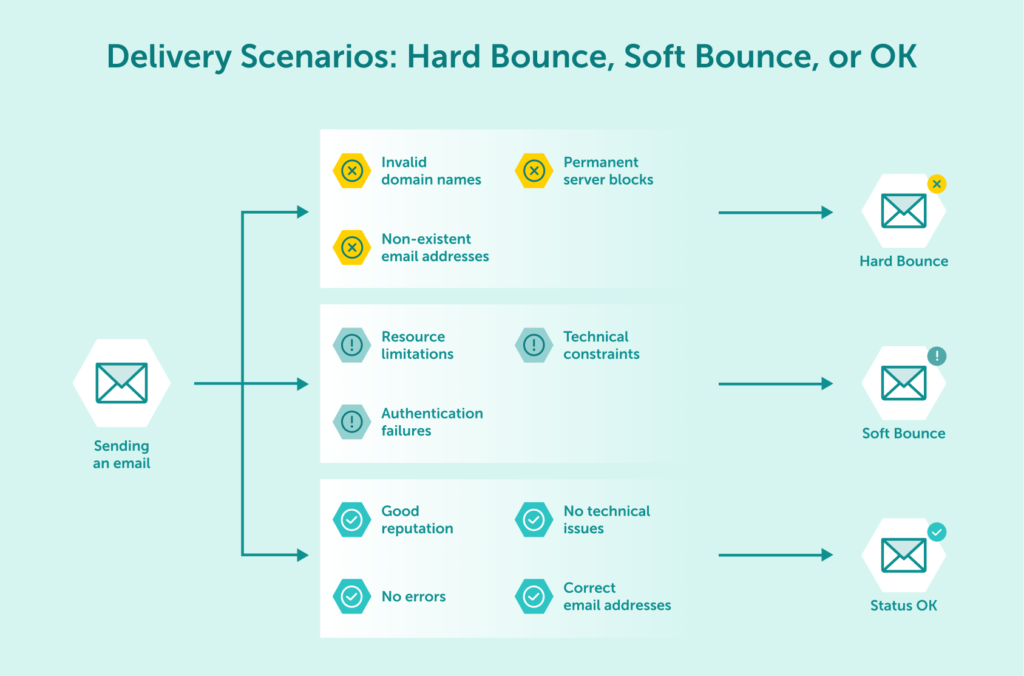
Hard bounces represent permanent delivery failures that require immediate attention and action. They can be characterized by:
| Characteristic | Description |
|---|---|
| Permanence | The failure is permanent and won’t resolve with retries |
| Immediate Response | Bounce notifications typically arrive quickly after sending |
| Clear Error Messages | Usually accompanied by specific error codes indicating the exact cause |
| Action Required | Requires immediate removal of the address from mailing lists |
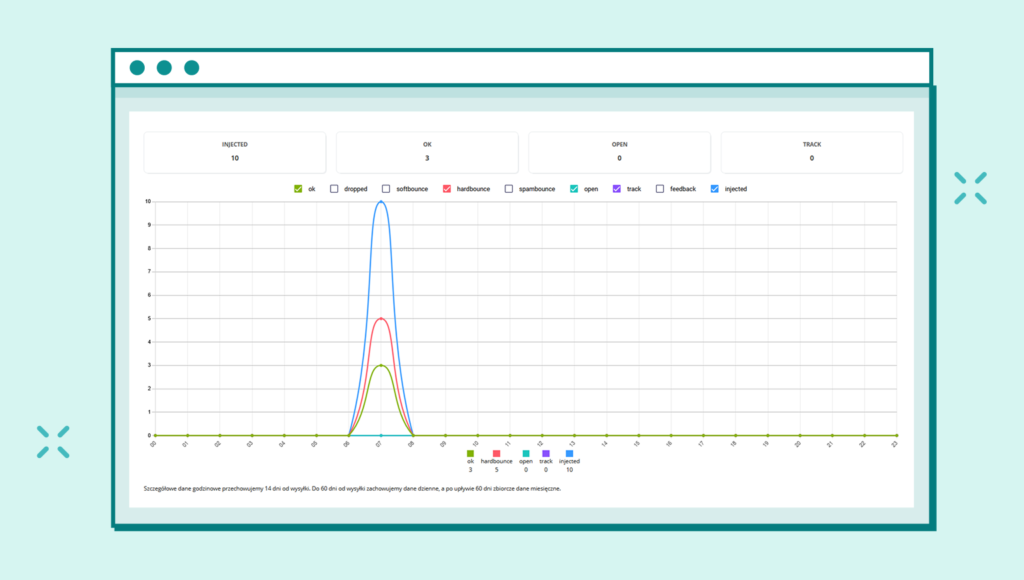
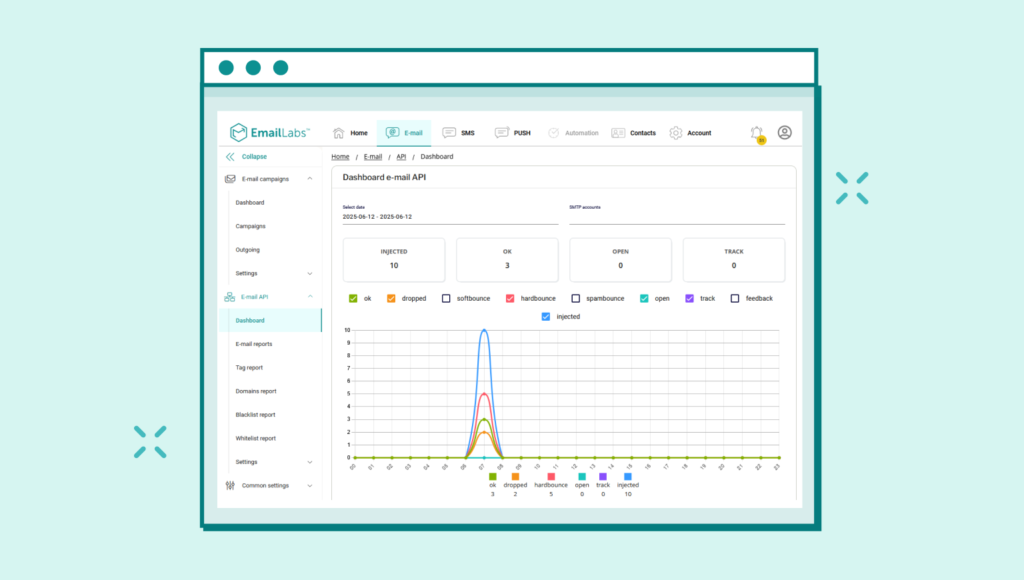
With EmailLabs, monitoring bounce statuses is easier than ever.
Understanding what triggers hard bounces helps prevent them in the first place. Here are a few of the most common causes:
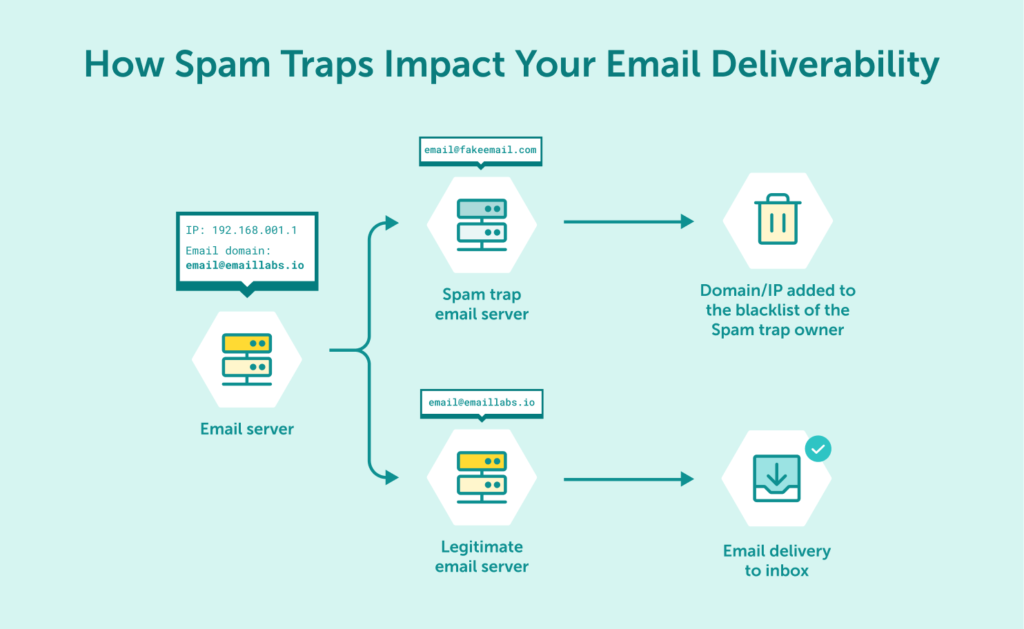
Hard bounces can severely impact your email deliverability in several ways. Here are a few examples:
Unlike their hard counterparts, soft bounces represent temporary delivery failures that may resolve themselves over time. Understanding their nature helps determine appropriate response strategies.
The key characteristics of soft bounces include:
| Aspect | Details |
|---|---|
| Temporary Nature | Issues may be resolved without sender intervention |
| Retry Potential | Delivery attempts can be repeated with possible success |
| Variable Duration | The resolution timeframe ranges from minutes to days |
| Monitoring Required | Patterns need tracking to identify persistent issues |
Soft bounces occur for various temporary reasons. Here’s a list of potential causes:
While less severe than hard bounces, soft bounces can still affect your email program. Here’s what you need to look out for:
Maximize your email deliverability and security with EmailLabs!
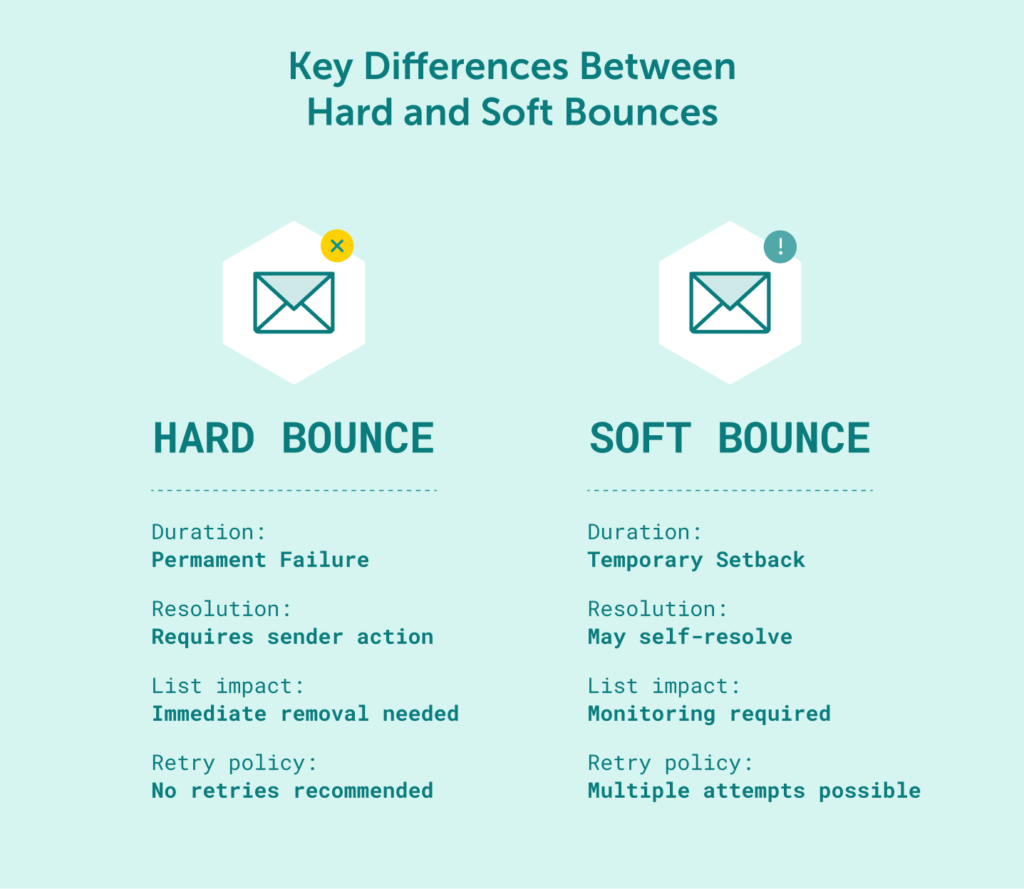
Understanding the distinctions between bounce types helps determine appropriate response strategies.
| Aspect | Hard Bounces | Soft Bounces |
|---|---|---|
| Duration | Permanent failure | Temporary setback |
| Resolution | Requires sender action | May self-resolve |
| List Impact | Immediate removal needed | Monitoring required |
| Retry Policy | No retries recommended | Multiple attempts possible |
While knowing the difference between soft and hard bounces is crucial, the bounce messages your sending server receives often contain hidden gems: SMTP reply codes. Think of these codes as specific diagnostic notes from the recipient’s mail server, explaining exactly why the delivery hit a snag. Learning to interpret these codes unlocks a deeper understanding of your deliverability challenges and empowers you to take more targeted action.
These numeric codes fall into categories, but for bounce management, two groups stand out:
When you see a code starting with ‘5’, it signals a permanent roadblock. The email couldn’t be delivered, and trying again with the same address won’t help. These are the codes most directly associated with hard bounces. Acting on them swiftly is key to protecting your sender reputation and maintaining list hygiene.
550 User Unknown (or 5.1.1, Invalid Recipient, etc.) This is perhaps the most frequent 5xx code. It’s a clear message: the specific email address simply doesn’t exist at that domain. Maybe there was a typo during sign-up, or the person left the company.
554 Transaction Failed / Message Refused This code is often more nuanced. It can indicate the recipient’s server rejected the message due to its own policies – perhaps strict anti-spam filters, content issues, or even a block against your sending IP or domain.
554 errors frequently, especially across multiple users at the same domain, it’s time to investigate your sender reputation and sending practices.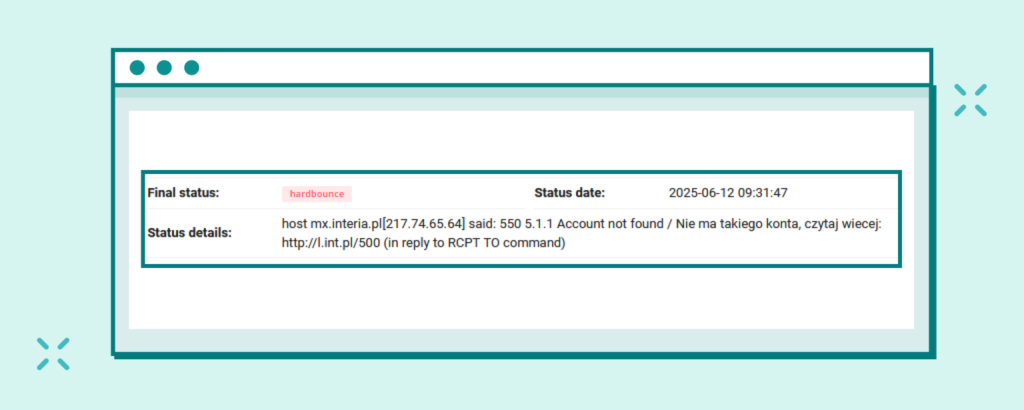
Codes beginning with ‘4’ signify a temporary issue. Delivery failed this time, but the door isn’t necessarily closed permanently. These codes are typical triggers for soft bounces, and your email sending platform will usually attempt to redeliver the message automatically over a period (like 24-72 hours). While less critical than 5xx errors, a high volume of 4xx bounces can still slow down your campaigns and potentially flag your sending patterns.
421 Service Not Available or 451 Local Error These codes suggest temporary technical difficulties on the recipient’s end. Their server might be overloaded, undergoing maintenance (421), or experiencing an unexpected internal hiccup (451).
450 Mailbox Unavailable or 452 Mailbox Full (often 4.2.2) These codes point to problems with the specific recipient’s mailbox rather than the server itself. The mailbox might be temporarily inactive (450) or, more commonly, it’s simply full and can’t accept new mail (452).
452 bounces for the same address across multiple campaigns. It often signals an abandoned or unmanaged inbox. Continuing to send emails that can’t be received isn’t effective, so consider deactivating or removing these chronically full addresses.The path to resolving email bounces varies depending on their nature.
Hard bounces demand swift and decisive action. These addresses must be immediately purged from your mailing lists while you investigate root causes and strengthen your validation processes to prevent similar issues. Documentation of these patterns proves invaluable for future reference and system improvement.
Soft bounces call for a more nuanced approach, beginning with strategically timed retry attempts. This measured strategy allows you to distinguish between temporary hiccups and deeper systemic issues, leading to informed decisions about which addresses require removal due to persistent delivery problems.
Success in email marketing hinges on your ability to adapt and respond to delivery challenges. Rather than viewing bounces as mere obstacles, savvy marketers recognize them as valuable signals that can guide strategic improvements.
A sophisticated bounce management strategy encompasses multiple interconnected elements, from maintaining pristine email lists to implementing robust authentication protocols.
Focus on proactive validation. Implement regular email validation checks using specialized tools to identify potential issues before they result in bounces, including syntax checking, domain validation, and mailbox verification.
At the same time, don’t forget about engagement monitoring. Track recipient interaction patterns to identify potential abandonment or technical issues before they manifest as bounces, allowing for preemptive list cleaning.
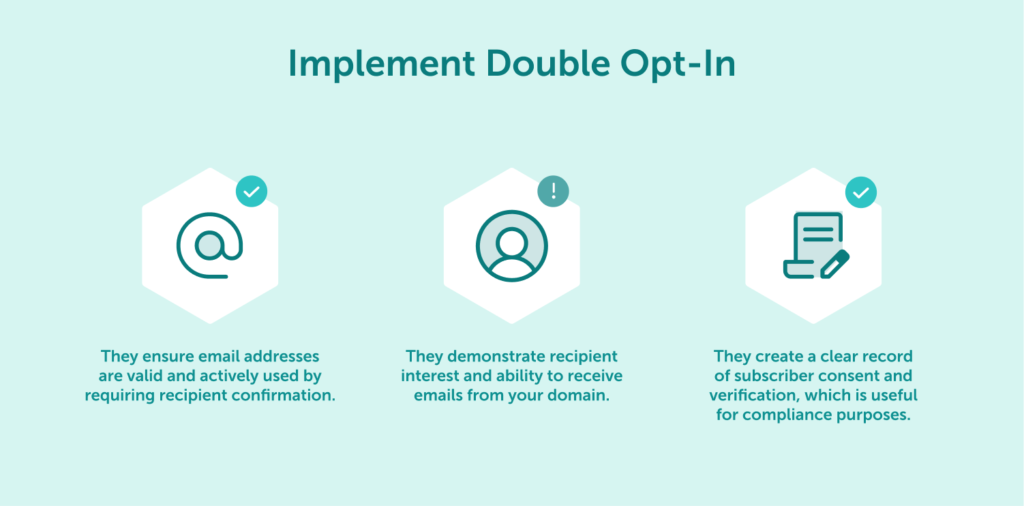
Double opt-in processes provide multiple benefits:
Effective bounce rate monitoring involves:
Proper authentication helps prevent technical bounces. Here’s what you should include in your strategy:
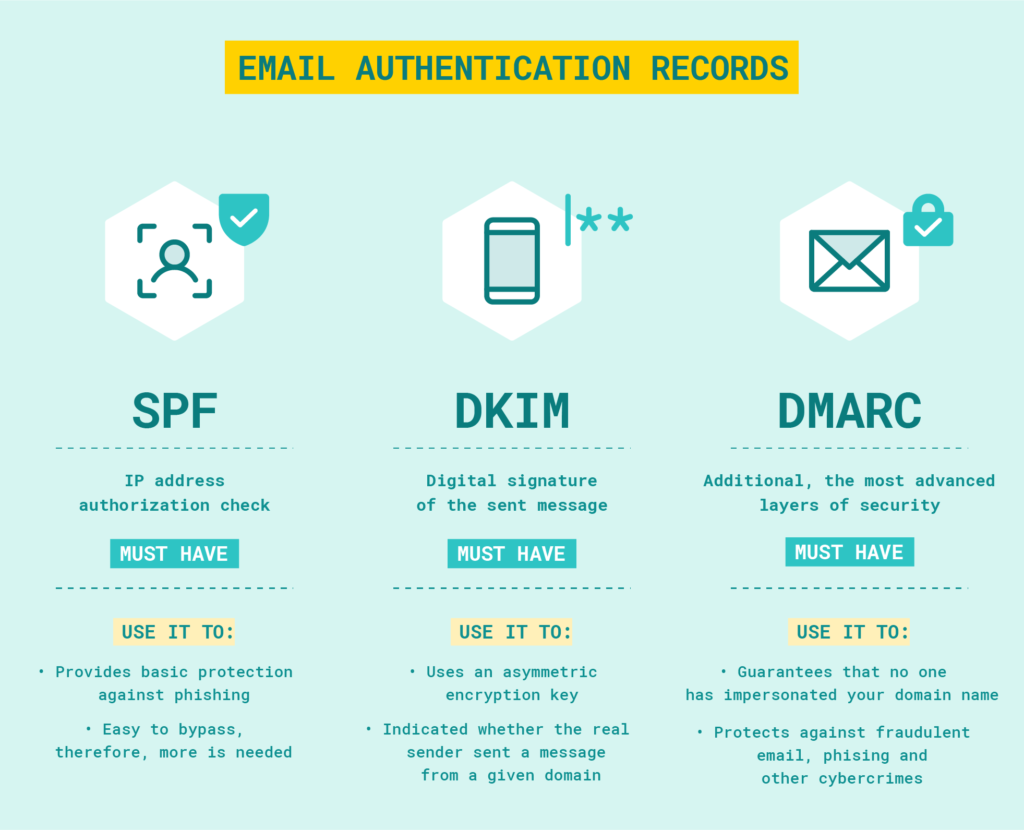
SPF, DKIM, DMARC: Basic elements of email authentication
Why struggle with bounce rates and deliverability challenges when you can leverage enterprise-grade infrastructure designed for optimal email performance?
EmailLabs provides dedicated sending servers with advanced authentication protocols and real-time monitoring capabilities that ensure your messages reach their intended recipients.
A combination of local European market expertise, enterprise-grade security standards, and best-in-class support makes us the ideal partner for businesses serious about email deliverability.
Managing email bounces effectively requires understanding their types, causes, and appropriate response strategies.
Regular monitoring, proper authentication, and proactive list maintenance form the foundation of successful email delivery strategies.
Ready to transform your bounce rates from a challenge into an opportunity? Start implementing these best practices today, or better yet, let our email experts handle the complex technical aspects while you focus on crafting engaging content that resonates with your audience.

We are a group of specialists involved in developing substantive and engaging articles on emails and their deliverability. Our value is to be part of the team that creates the EmailLabs service on a daily basis, making our content fully responsive to our audience's questions and problems. Do you have any questions? We look forward to hearing from you :)
See more articles
We live in a world where your customers switch seamlessly between laptops, smartphones, and tablets. They navigate a complex digital ecosystem – checking emails, using mobile apps, and reacting...

We are delighted to announce that Vercom S.A., the company behind the EmailLabs project, has successfully completed the ISO 22301 certification process. This significant achievement underscores our commitment to...

EmailLabs, as part of the Vercom group, proudly announces its full commitment to aligning its ICT services with the latest cybersecurity standards. In response to dynamically changing regulations, the...

We are pleased to announce that MessageFlow, a product from the Vercom S.A. group, has received the prestigious CSA (Certified Senders Alliance) Certification. This recognition not only underscores the...
Compliance & Security, Email Marketing, Security
TL;DR DMARCbis is now official: After years of work by the IETF working group, the DMARC specification has been formally updated. Three new documents, RFC 9989, RFC 9990, and...
Email Marketing, Gmail, New feature
TL;DR Gmail Live: a new feature enabling natural language voice search in the inbox, powered by the Gemini model. AI Inbox and AI Overviews: a revamped inbox interface featuring...
Best practices, Best practices, Email Authentication
TL;DR: Strategic Takeaways for C-Level and Marketing Leaders DKIM2 is not a minor DNS configuration update. It is a systemic response to two critical business problems: Replay attacks: scenarios...
Compliance & Security, Email Marketing, Security
TL;DR DMARCbis is now official: After years of work by the IETF working group, the DMARC specification has been formally updated. Three new documents, RFC 9989, RFC 9990, and...
Email Marketing, Gmail, New feature
TL;DR Gmail Live: a new feature enabling natural language voice search in the inbox, powered by the Gemini model. AI Inbox and AI Overviews: a revamped inbox interface featuring...
Best practices, Best practices, Email Authentication
TL;DR: Strategic Takeaways for C-Level and Marketing Leaders DKIM2 is not a minor DNS configuration update. It is a systemic response to two critical business problems: Replay attacks: scenarios...

AI, Antispam, Best practices, Deliverability
C-Level TL;DR: Strategic Takeaways Recipient consent as a foundation (Item 0): Sending email messages without explicit recipient consent (opt-in) poses a significant risk to your sending infrastructure. Attempting to...

AI, Antispam, Best practices, Deliverability
Executive TL;DR: Strategic Takeaways Deliverability Schism: The growing divide between sales automation technologies and the security standards enforced by major global mailbox providers (collectively referred to as MAGY) is...

Modern email systems no longer treat the primary inbox as the default destination for every message. The final classification of an email is the result of a multistage evaluation...

Best practices, Maile marketingowe, Marketing E-mails, Transactional Emails
Mass email sending is a critical strategy for business owners, marketers, developers, and nonprofit managers looking to scale their outreach. Whether you are announcing a new product feature, distributing...

Best practices, Marketing E-mails
Customer feedback is the fuel for business growth, but gathering it effectively requires more than just a list of questions. Survey emails remain the most direct channel for understanding...

Best practices, Email Marketing, Pytania i odpowiedzi
Mail merge combines a template document with data to create personalized communications. This technique saves time by automatically generating individualized letters, emails, and labels without manual entry. What Is...

