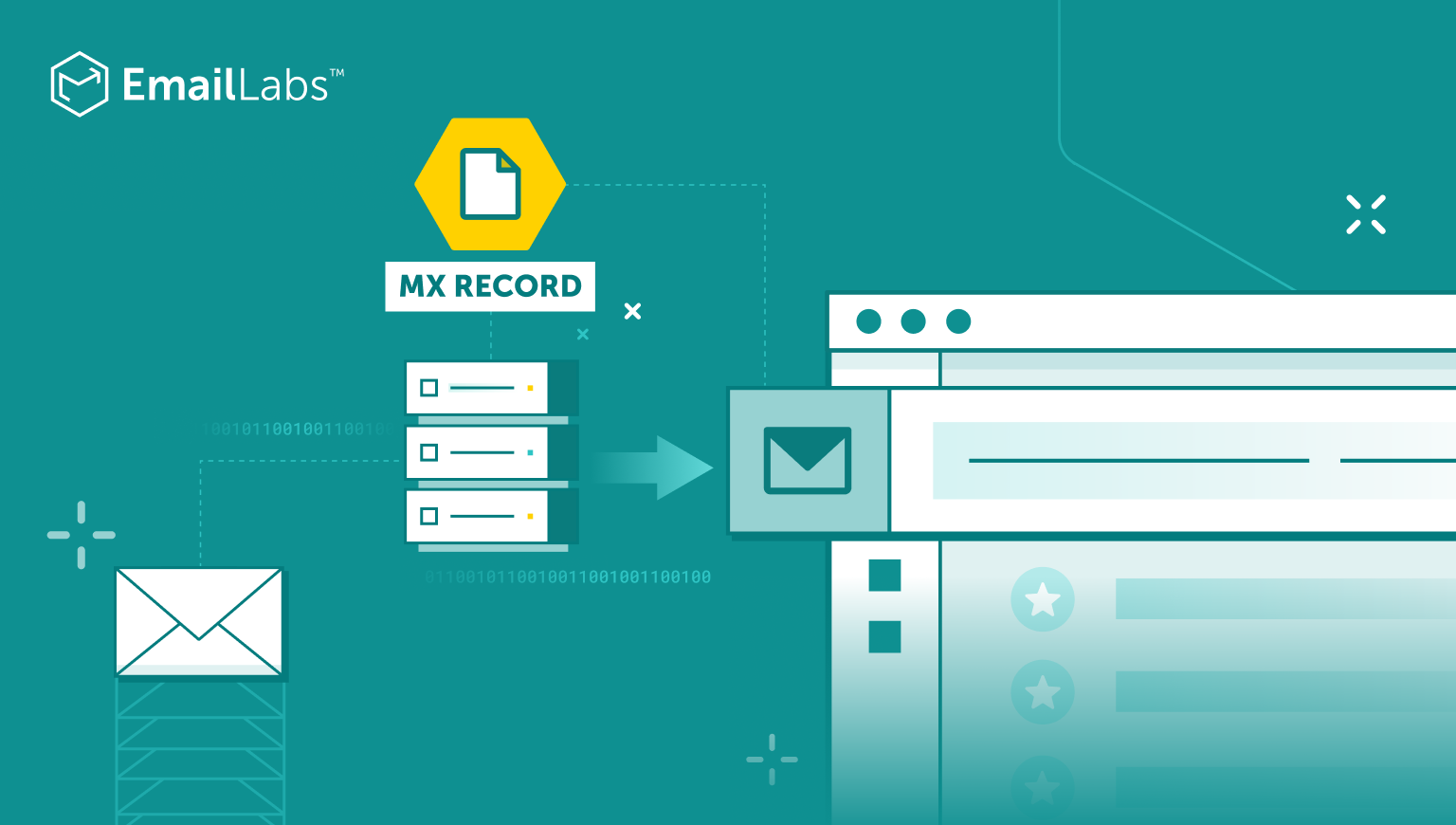
Email routing requires sophisticated mechanisms to ensure messages reach their intended recipients across the vast landscape of the internet.
At the heart of this email delivery system lies the Mail Exchange (MX) record, a specialized DNS record type that has evolved far beyond its original 1980s implementation.
As Google and other major providers implement increasingly stringent email authentication requirements, understanding MX records has become crucial for maintaining reliable email communication.
Mail Exchange (MX) records represent a fundamental component of the Domain Name System (DNS) infrastructure that governs email routing across the internet.
These specialized DNS records are critical signposts in the email delivery process, directing incoming messages to the appropriate mail servers responsible for handling a domain’s email traffic.
In modern email architecture, MX records function as the primary mechanism for establishing the connection between domain names and their designated mail transfer agents (MTAs).
The significance of MX records extends beyond simple mail routing, as they enable sophisticated email handling capabilities.
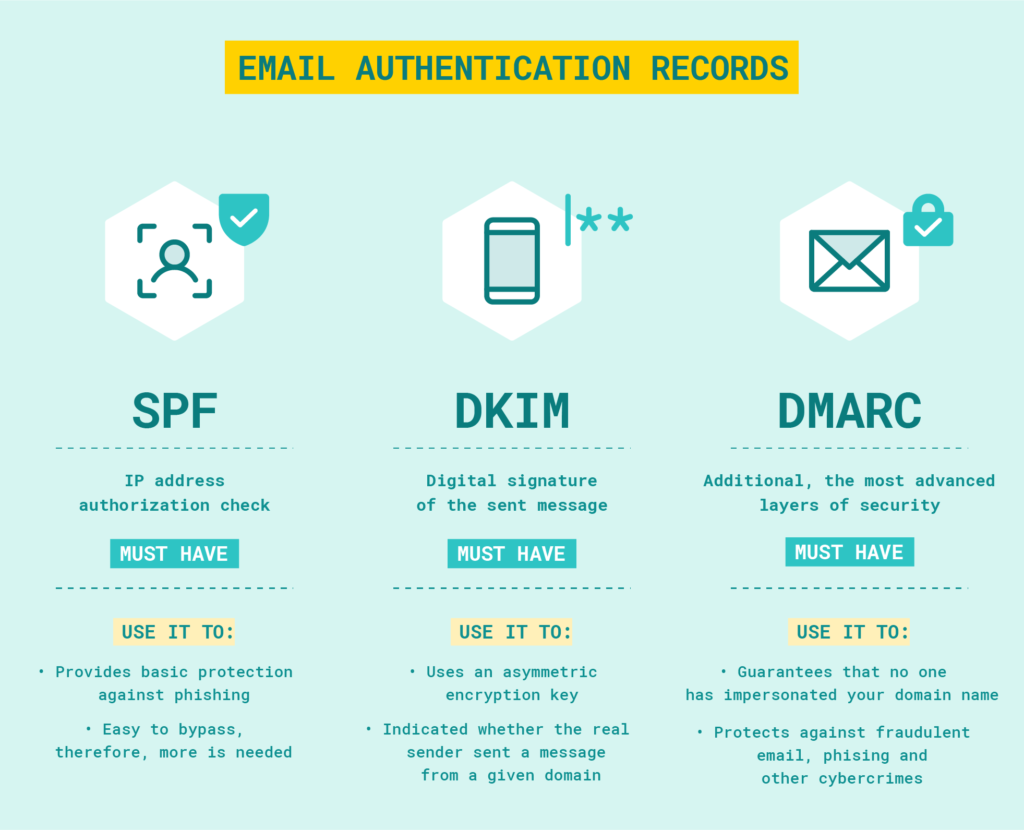
Message Transfer Agents (MTAs) and DNS servers work together to ensure emails reach their intended destinations through MX record resolution. This process involves a systematic approach to finding and connecting to the correct mail servers for any given domain.
This priority-based system allows organizations to maintain email service during outages or maintenance, while TTL values in MX records help optimize DNS caching and reduce unnecessary queries
Consider this typical MX record configuration:
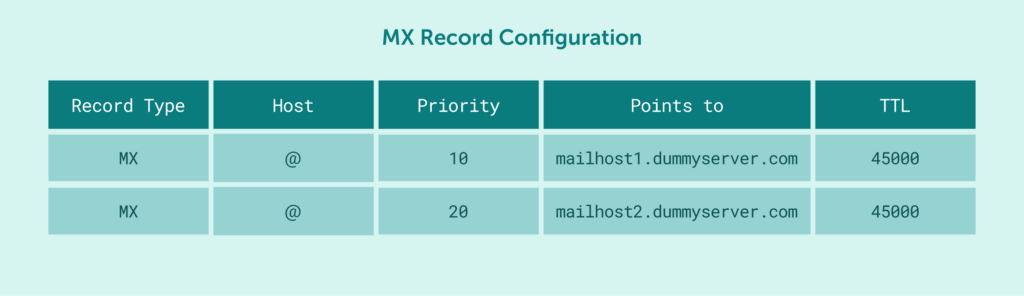
In this example, the Host: @ typically signifies that these MX records apply to the root domain itself (e.g., yourdomain.com)
In this setup, the MTA attempts delivery to mailhost1.dummyserver.com first, due to its priority value of 10. If that server is unavailable, it falls back to mailhost2.dummyserver.com (priority 20).
The TTL value of 45000 seconds tells DNS resolvers how long to cache these records before requesting fresh information from the authoritative DNS server.
MX records play a crucial role in email security by helping validate legitimate email sources and prevent unauthorized mail routing.
Beyond their basic routing function, they serve as a fundamental component in modern email authentication and security frameworks.
Maximize your email deliverability and security with EmailLabs!
While configuring mail server records, administrators often encounter limitations regarding Canonical Name (CNAME) records, which serve as aliases pointing one domain name to another.
Despite CNAME records’ utility in creating flexible domain aliases like directing order.cheesepizza.com to cheesepizza.ordernow.com, they present specific challenges when interacting with MX records due to fundamental DNS protocol restrictions.
Internet standards explicitly prohibit MX records from pointing to CNAME records. Instead, MX records must reference hostnames that resolve directly to an IP address via an A record (for IPv4 addresses) or an AAAA record (for IPv6 addresses). An A record maps a hostname to an IPv4 address, while an AAAA record maps a hostname to an IPv6 address.
This restriction, formalized in RFC 2181 section 10.3, exists for critical performance reasons:
This technical limitation shapes how organizations must structure their email infrastructure, requiring direct MX record configuration to actual mail server hostnames rather than relying on CNAME aliases.
MX records are configured within your domain’s DNS management zone. This is typically accessed via a control panel provided by your domain registrar or your DNS hosting provider. When making changes, ensure you understand the implications of each field: Host, Priority, Points to (Value), and TTL.
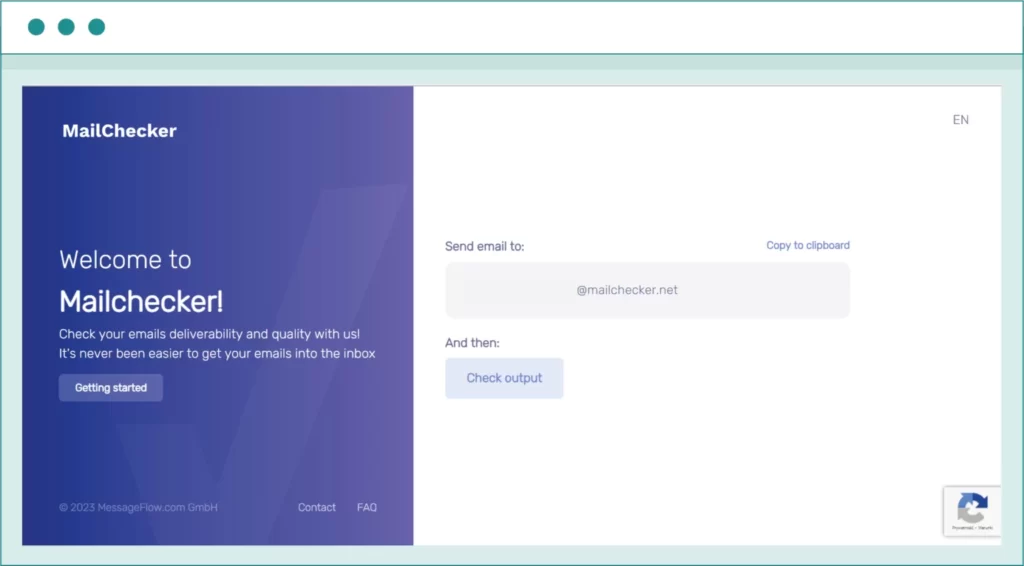
Before troubleshooting, it’s often useful to check the current MX records for a domain, as well as other related DNS settings crucial for email deliverability. You can do this using command-line tools like nslookup (e.g., nslookup -q=MX yourdomain.com) or dig (e.g., dig yourdomain.com MX). For a more comprehensive and user-friendly analysis, we recommend using online tools. For instance, Mailchecker.net is an excellent resource that not only verifies MX records but also checks SPF, DKIM, DMARC, and other critical DNS configurations impacting your email setup and security. These tools will show you how your MX records and overall email configuration are seen globally.
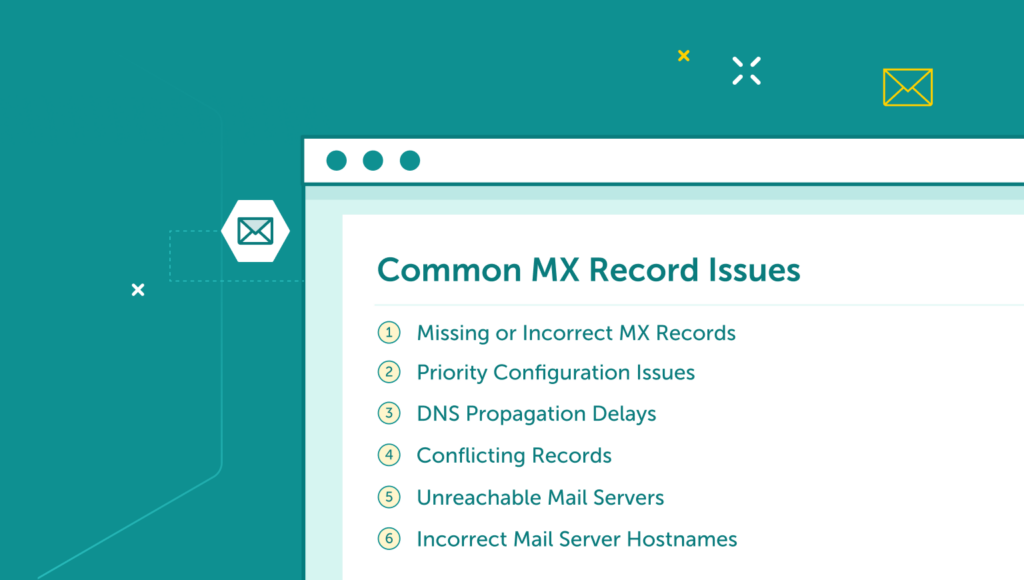
Email delivery problems often arise from MX record configuration issues, requiring systematic investigation and resolution approaches. Understanding common failure points helps administrators maintain reliable email infrastructure and quickly resolve delivery interruptions.
Email delivery failures often occur when DNS MX records are missing or are incorrectly configured for a domain host. When users send emails to domains with improper MX configurations, messages bounce back with “no such domain” or “unable to relay” errors, preventing the MTA from establishing SMTP connections.
To resolve these issues, administrators must verify and update MX records in their domain’s DNS settings. It involves performing an MX lookup to confirm proper record configuration and ensuring the specified mail server’s domain is correct.
When backup MX records receive more incoming mail than preferred mail servers, it indicates a priority configuration problem. Email providers rely on priority values to determine mail delivery order, with the lowest priority number indicating the primary mail exchanger.
The fix requires reviewing and adjusting priority numbers across all MX records. Primary servers should have lower numbers (like 10), while backup servers need higher values (like 20 or 30) to ensure proper traffic routing.
Changes to MX records require time to propagate through authoritative name servers. During this period, which can last up to 48 hours, some DNS queries may still return old record values, affecting message delivery paths.
Organizations should plan for these TTLs (Time To Live) when implementing new MX records. The delay particularly impacts scenarios where companies switch to a separate email provider.
Multiple conflicting MX records can create routing confusion at the root domain level. This often occurs when outdated records remain in DNS settings alongside new configurations, causing inconsistent mail delivery patterns.
The resolution requires removing obsolete records and maintaining consistency across all subdomains. Administrators should regularly audit their DNS MX records to prevent routing conflicts and ensure proper email message handling.
Persistent email delivery failures often indicate unreachable mail servers. This can stem from network issues, firewall rules, or server outages.
Troubleshooting requires checking email server availability, reviewing firewall configurations, and verifying network connectivity between mail servers.
MX records pointing to non-existent or incorrect host records cause immediate delivery failures. This issue commonly occurs during email infrastructure changes or when domain hosts are incorrectly specified.
The solution requires verifying all mail server hostnames in MX records, ensuring they point directly to valid A or AAAA records. This helps maintain reliable mail delivery across the email threat landscape.
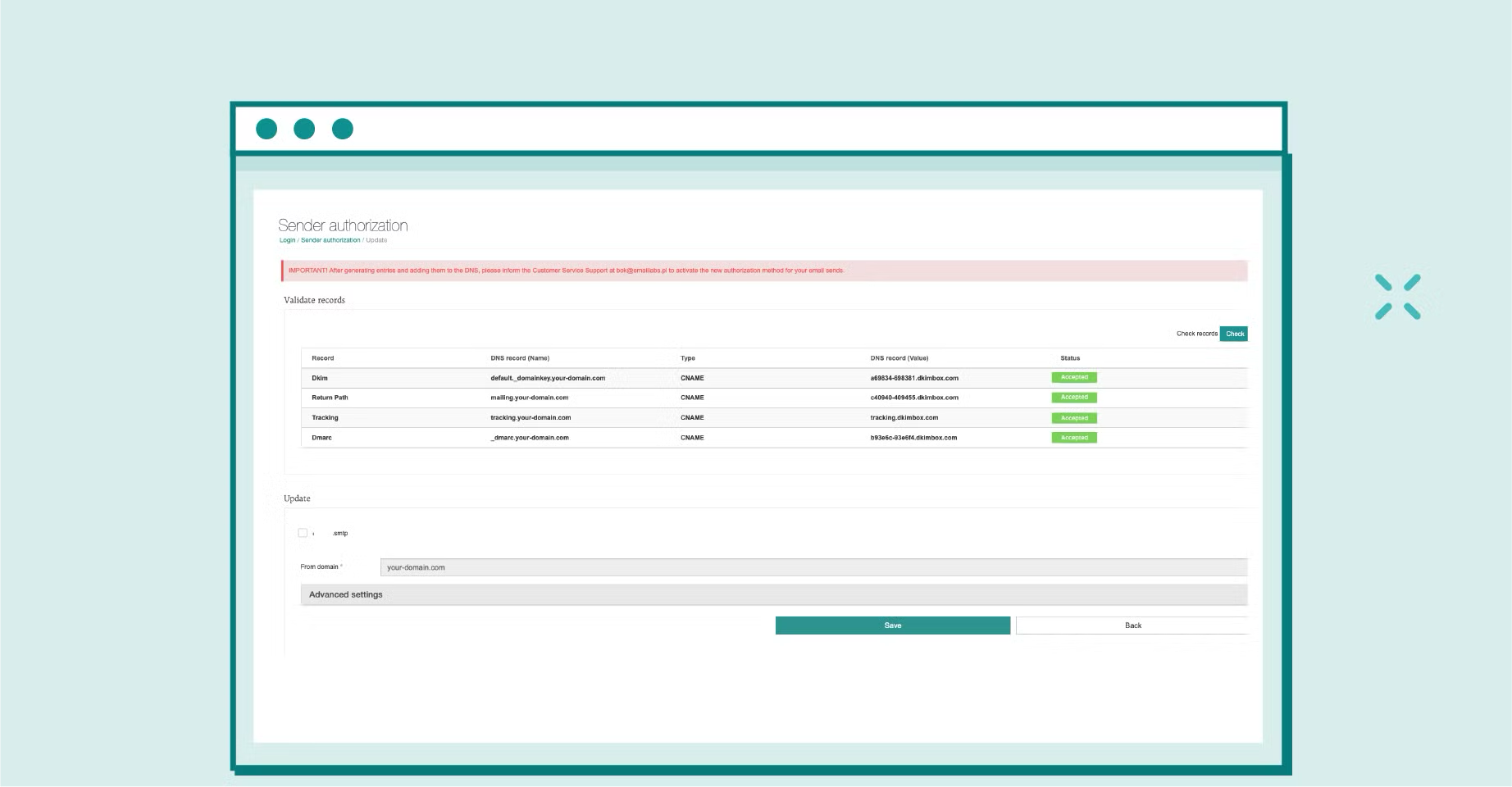
EmailLabs provides comprehensive email infrastructure solutions, guiding you through the configuration process of key DNS records essential for enhancing the deliverability and security of your messages. Our platform simplifies the implementation of email authentication standards such as SPF, DKIM (through the ‘Sender Authorization’ feature, which generates a DKIM key and its corresponding selector), and DMARC, allowing you to define your own policies. Additionally, features like a dedicated Return Path and Whitelabel for links enable advanced branding customization by generating the appropriate CNAME records, which you then add to your domain’s DNS management panel.
Combined with our dedicated outbound servers, advanced Email RESTful API, and Cloud SMTP services, we ensure reliable email delivery while maintaining the highest security standards.
As email security requirements continue to evolve, properly configured MX records have become essential for maintaining reliable email delivery and protecting against increasingly sophisticated email-based threats.
Ready to optimize your email infrastructure? Contact us now to learn how EmailLabs can enhance your email delivery system with our robust platform and expert guidance on configuring DNS for optimal email performance and security!

We are a group of specialists involved in developing substantive and engaging articles on emails and their deliverability. Our value is to be part of the team that creates the EmailLabs service on a daily basis, making our content fully responsive to our audience's questions and problems. Do you have any questions? We look forward to hearing from you :)
See more articles
We live in a world where your customers switch seamlessly between laptops, smartphones, and tablets. They navigate a complex digital ecosystem – checking emails, using mobile apps, and reacting...

We are delighted to announce that Vercom S.A., the company behind the EmailLabs project, has successfully completed the ISO 22301 certification process. This significant achievement underscores our commitment to...

EmailLabs, as part of the Vercom group, proudly announces its full commitment to aligning its ICT services with the latest cybersecurity standards. In response to dynamically changing regulations, the...

We are pleased to announce that MessageFlow, a product from the Vercom S.A. group, has received the prestigious CSA (Certified Senders Alliance) Certification. This recognition not only underscores the...
Compliance & Security, Email Marketing, Security
TL;DR DMARCbis is now official: After years of work by the IETF working group, the DMARC specification has been formally updated. Three new documents, RFC 9989, RFC 9990, and...

Email Marketing, Gmail, New feature
TL;DR Gmail Live: a new feature enabling natural language voice search in the inbox, powered by the Gemini model. AI Inbox and AI Overviews: a revamped inbox interface featuring...
Best practices, Best practices, Email Authentication
TL;DR: Strategic Takeaways for C-Level and Marketing Leaders DKIM2 is not a minor DNS configuration update. It is a systemic response to two critical business problems: Replay attacks: scenarios...
Compliance & Security, Email Marketing, Security
TL;DR DMARCbis is now official: After years of work by the IETF working group, the DMARC specification has been formally updated. Three new documents, RFC 9989, RFC 9990, and...
Email Marketing, Gmail, New feature
TL;DR Gmail Live: a new feature enabling natural language voice search in the inbox, powered by the Gemini model. AI Inbox and AI Overviews: a revamped inbox interface featuring...
Best practices, Best practices, Email Authentication
TL;DR: Strategic Takeaways for C-Level and Marketing Leaders DKIM2 is not a minor DNS configuration update. It is a systemic response to two critical business problems: Replay attacks: scenarios...

AI, Antispam, Best practices, Deliverability
C-Level TL;DR: Strategic Takeaways Recipient consent as a foundation (Item 0): Sending email messages without explicit recipient consent (opt-in) poses a significant risk to your sending infrastructure. Attempting to...

AI, Antispam, Best practices, Deliverability
Executive TL;DR: Strategic Takeaways Deliverability Schism: The growing divide between sales automation technologies and the security standards enforced by major global mailbox providers (collectively referred to as MAGY) is...

Modern email systems no longer treat the primary inbox as the default destination for every message. The final classification of an email is the result of a multistage evaluation...

Best practices, Maile marketingowe, Marketing E-mails, Transactional Emails
Mass email sending is a critical strategy for business owners, marketers, developers, and nonprofit managers looking to scale their outreach. Whether you are announcing a new product feature, distributing...

Best practices, Marketing E-mails
Customer feedback is the fuel for business growth, but gathering it effectively requires more than just a list of questions. Survey emails remain the most direct channel for understanding...

Best practices, Email Marketing, Pytania i odpowiedzi
Mail merge combines a template document with data to create personalized communications. This technique saves time by automatically generating individualized letters, emails, and labels without manual entry. What Is...


