
Best practices, Maile marketingowe, Marketing E-mails, Transactional Emails
Best practices, Maile marketingowe, Marketing E-mails, Transactional Emails
Mass email sending is a critical strategy for business owners, marketers, developers, and nonprofit managers looking to scale their outreach. Whether you are announcing a new product feature, distributing a monthly newsletter, or sending crucial service updates, the ability to reach thousands of recipients instantly is a game-changer. Through this channel, information spreads quickly and cost-effectively.
However, doing it right is the tricky part.
Mass email sending involves delivering a single message to a large group of recipients simultaneously. Unlike personal, one-to-one emails, these messages are crafted to hook a specific market segment or audience efficiently. Success in this area relies heavily on the intricate connection between your sending volume, deliverability (the ability to land in the primary inbox), and sender reputation.
In this comprehensive guide, we will explore the severe limitations of standard email clients like Gmail and Outlook.
Before discussing why standard tools fail at scale, it is important to understand what they are typically used for and why they seem like an attractive option initially.
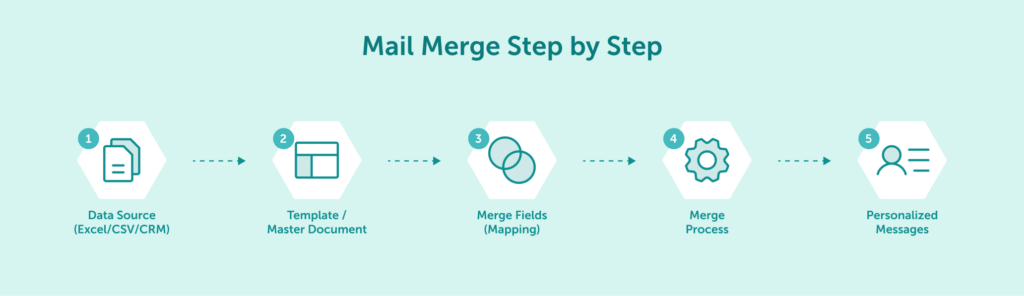
BCC (Blind Carbon Copy) is often seen as the easiest, “zero-cost” method for small groups. It helps maintain basic privacy by hiding email addresses from other recipients, preventing the dreaded “Reply All” scenario where one response spams the entire list. Similarly, Mail Merge tools are commonly used to add basic personalization, allowing you to address recipients by name instead of a generic “Dear Customer” directly from your document editor.
However, while these methods work for very small batches (e.g., a team update or a local club announcement), they come with strict technical and operational limitations that hinder business growth. To understand why these methods fail at scale, we must look at the specific caps imposed by mailbox providers.
Gmail, Outlook, and other free providers enforce strict per-message and daily recipient limits to prevent spam on their networks. In practice, these limits make them unsuitable for large-scale email sending.
If your contact list exceeds these limits – say, you need to reach 5,000 users – you would be forced to manually divide your campaign into dozens of smaller batches spread over several days. This manual process consumes valuable time and drastically increases the risk of mistakes, such as sending duplicate emails or missing segments entirely.
Standard email providers are designed primarily for personal communication. Sudden spikes in sending volume or distributing identical content to hundreds of recipients are classic “spam signals.” When you send bulk mail from a standard account, you share reputation with millions of other users.
If your volume triggers the provider’s spam filters, your account could be temporarily suspended or permanently blocked. More importantly, this harms your domain’s deliverability, reducing the likelihood that future legitimate messages will reach your clients’ inboxes.
When using BCC or basic Mail Merge, you operate in the dark. You gain little to no insight into campaign performance because standard email clients typically lack advanced analytics. You cannot track:
Without this data, you cannot clean your list or evaluate your strategy. You are effectively shouting into the void without knowing who is listening.
To overcome these limitations and gain full visibility, let’s compare standard clients with professional bulk email services directly.
| Feature | Standard Clients (Gmail/Outlook) | Professional Bulk Email Service / ESP (EmailLabs) |
|---|---|---|
| Sending Volume | Limited (daily caps apply) | Scalable with business needs |
| Deliverability | Shared reputation, higher spam risk | Dedicated IPs, authentication tools |
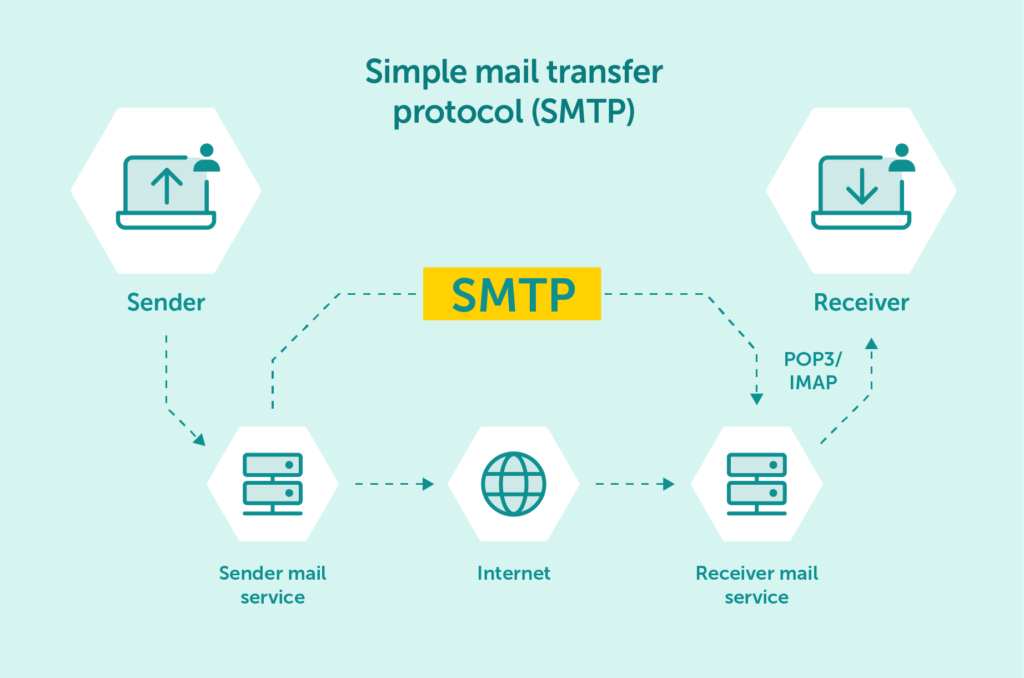
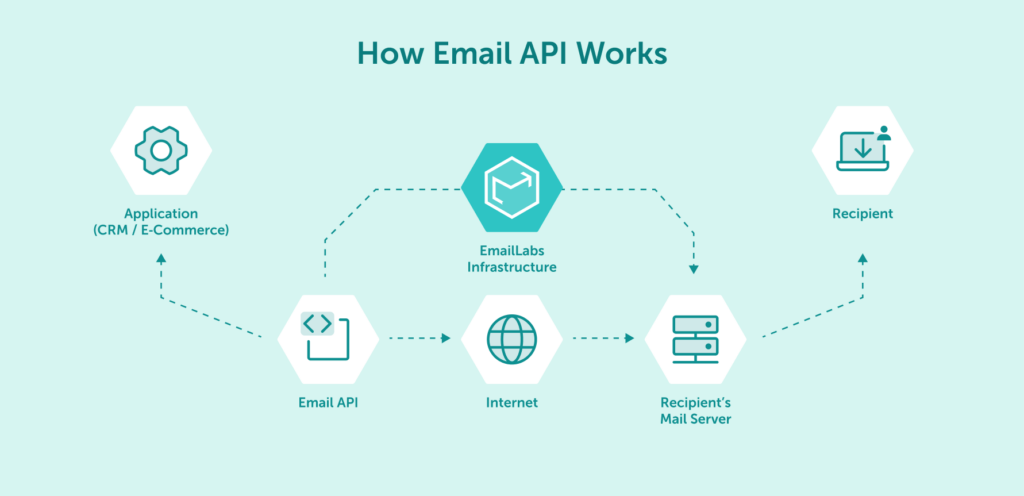
| Integration | Manual (BCC/Mail Merge) | Automated (SMTP Relay, REST API) |
| Analytics | Basic or non-existent | Advanced (real-time tracking, logs) |
| Use Case | Personal or basic business correspondence | Mass marketing & transactional emails |
Professional email marketing platforms remove technical limitations, increase control over sending processes, and enable scalable communication strategies — without the risk of errors or deliverability blocks.
Maximize your email deliverability and security with EmailLabs!
To move beyond the limitations of standard email clients, you need infrastructure built specifically for high-volume sending. This is where an Email Service Provider (ESP) comes in – a specialized service designed to manage the technical complexities of bulk email delivery.
Professional bulk email services like EmailLabs provide two critical advantages that basic tools cannot: full control over sender reputation and advanced delivery mechanisms designed for bulk email traffic.
Moving to professional infrastructure does not mean you have to abandon your favorite marketing tools or CRM. It means connecting them to a more powerful engine.
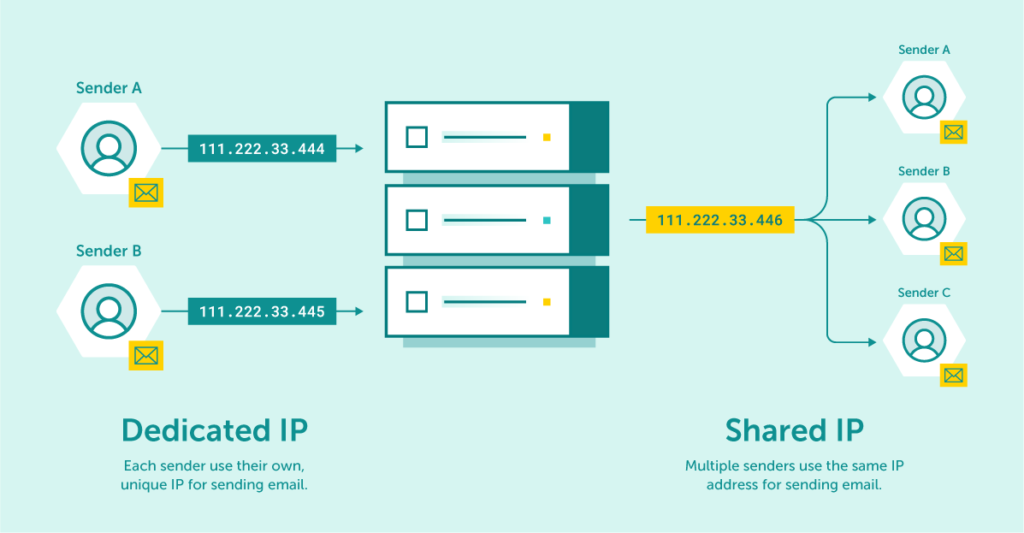
When using standard tools or entry-level marketing platforms, your emails are often sent from Shared IP addresses. This means your deliverability depends not only on your own practices but also on the behavior of other senders using the same IP.
A Dedicated IP solves this problem. It ensures that only your sending behavior determines your reputation. With EmailLabs, dedicated IPs give you full ownership of your sender reputation, enabling consistent inbox placement and long-term stability for high-volume senders.
Sender reputation works much like a financial credit score. Mailbox providers such as Gmail, Yahoo, and Outlook use it to calculate a score that determines whether your emails land in the inbox, the spam folder, or are rejected entirely.
To build and maintain a strong sender reputation, you must:
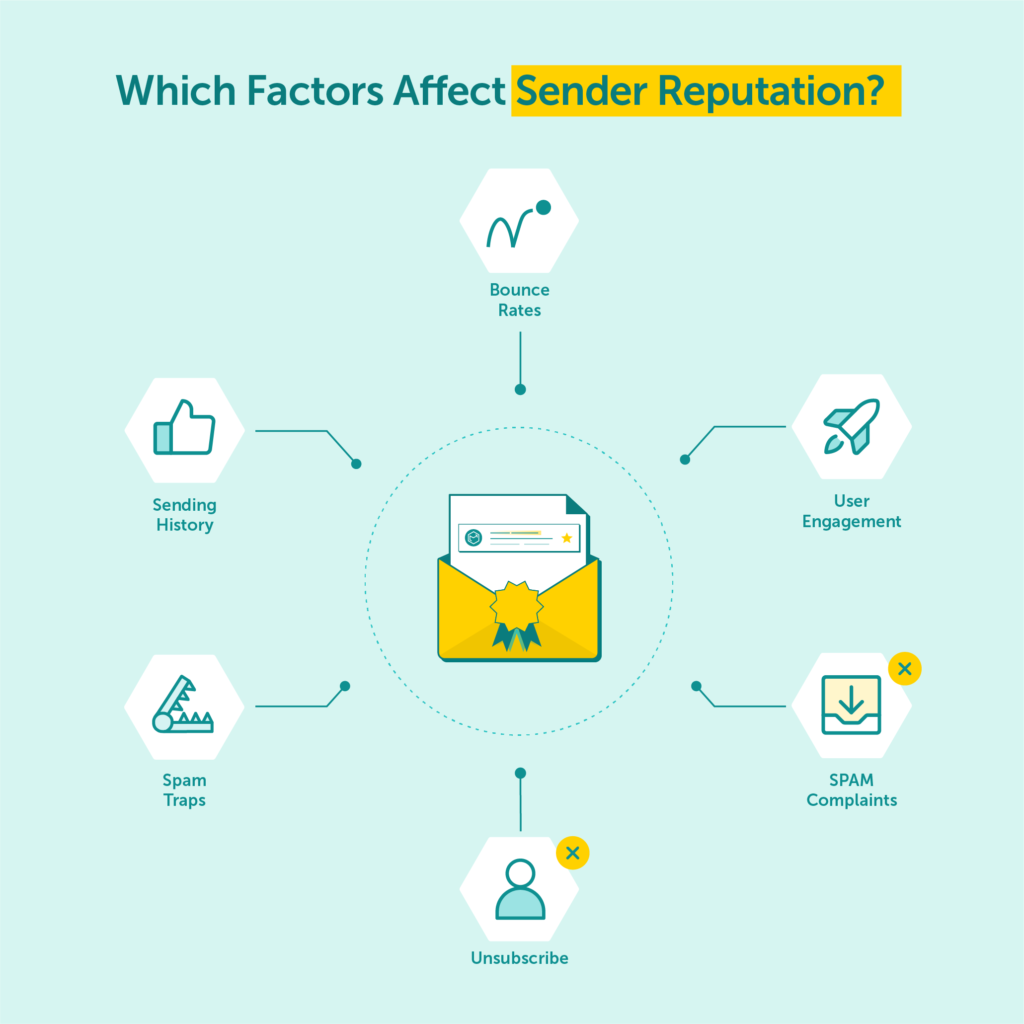
However, having the right infrastructure is only half the battle; you also need to secure your sending identity technically.
In 2026, landing in the inbox consistently requires more than just sending volume. It depends on two foundational pillars: proper authentication and disciplined list hygiene.
Email authentication is the digital equivalent of showing your ID card. It verifies that your messages are legitimate and protects your domain from being used by spoofers or phishers. Without these protocols, providers cannot reliably trust your emails.
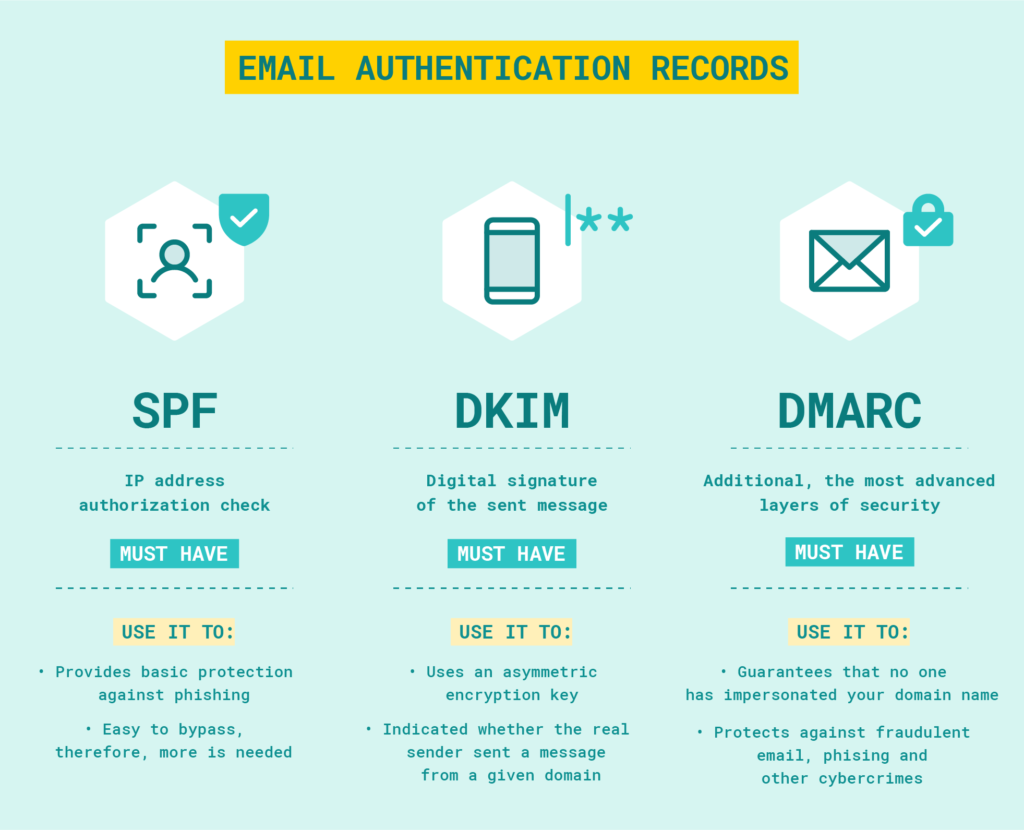
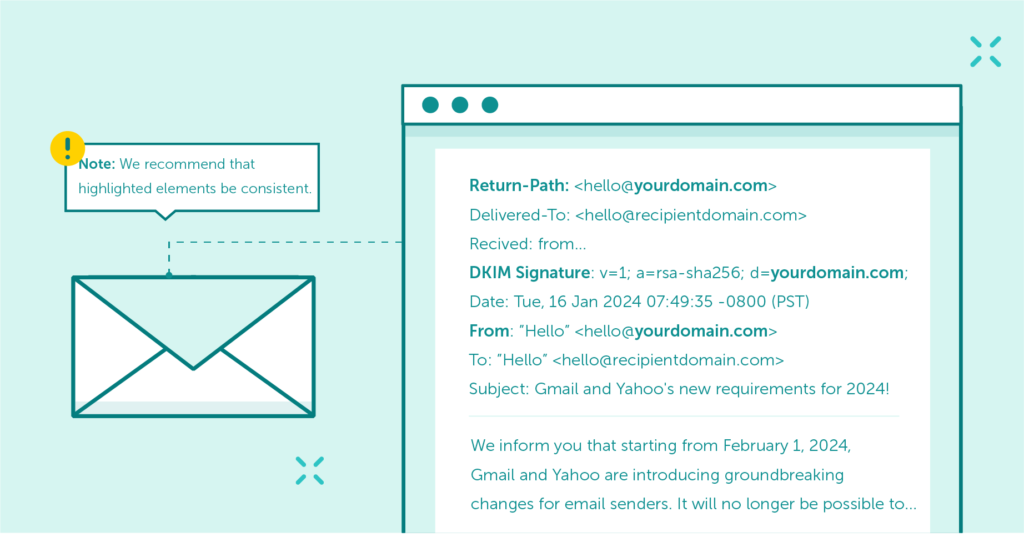
Authentication alone is not enough – alignment is critical. Domain Alignment ensures that the visible “From” address matches the domains used for SPF and/or DKIM signatures. Major mailbox providers, including Google and Yahoo, now strongly recommend (and for bulk senders, often require) full DMARC alignment. This alignment is a key signal that you are a trustworthy, professional sender.
Even with perfect technical configuration, poor list quality can damage your reputation faster than anything else. Mailbox providers monitor how users interact with your mail.
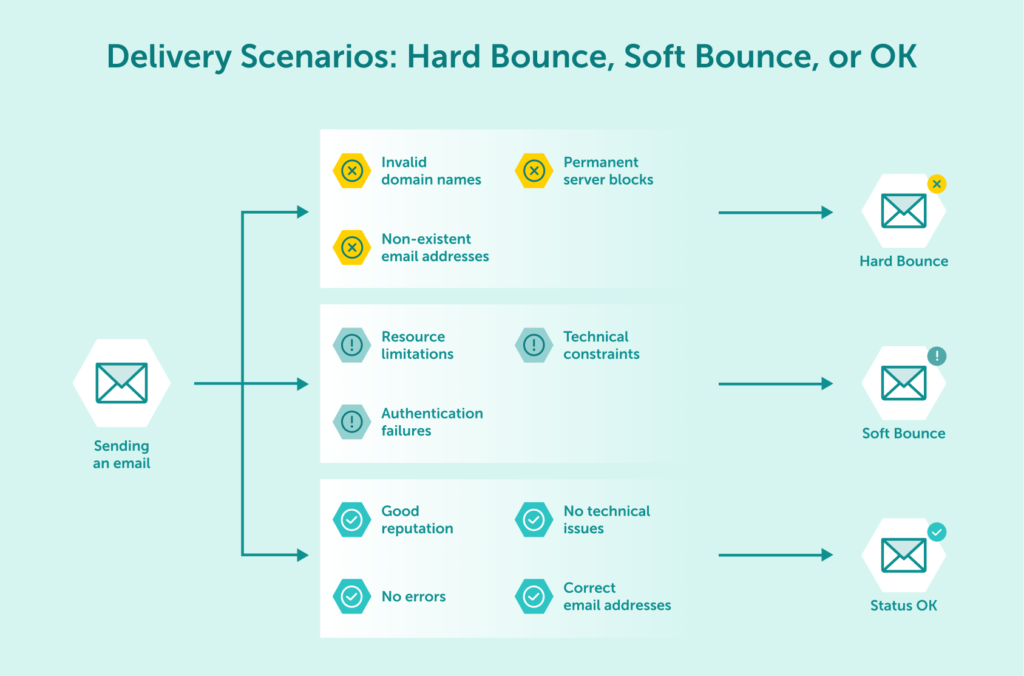
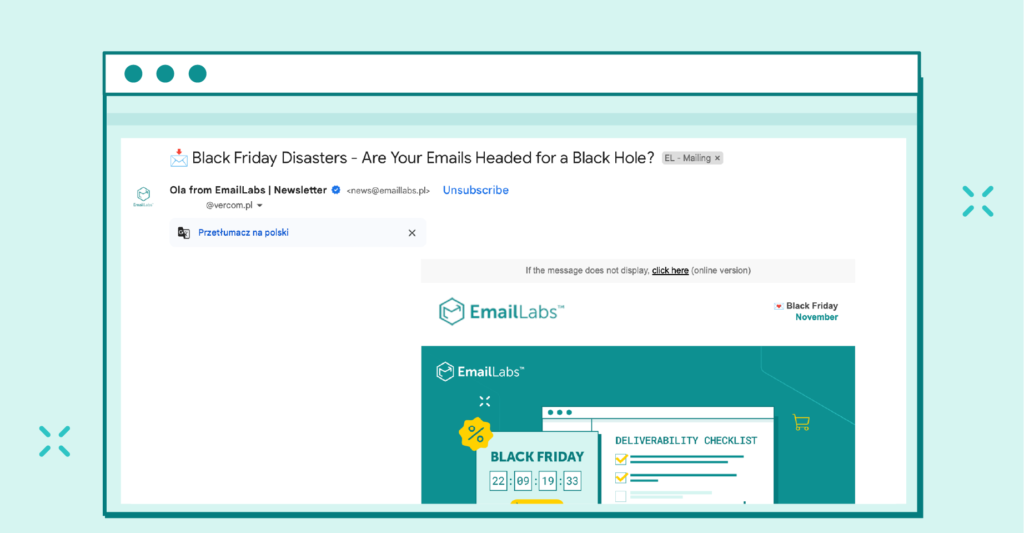
Mass email sending is strictly regulated by laws such as GDPR (Europe) and CAN-SPAM (USA). These regulations require explicit consent (double opt-in is recommended), clear sender identification, and secure data processing. Professional bulk email services help you enforce these requirements at scale, reducing legal risks and building trust with your audience.
Even with professional infrastructure, errors in content or configuration can negatively impact results. Thorough validation ensures campaigns perform as intended before reaching thousands of recipients.
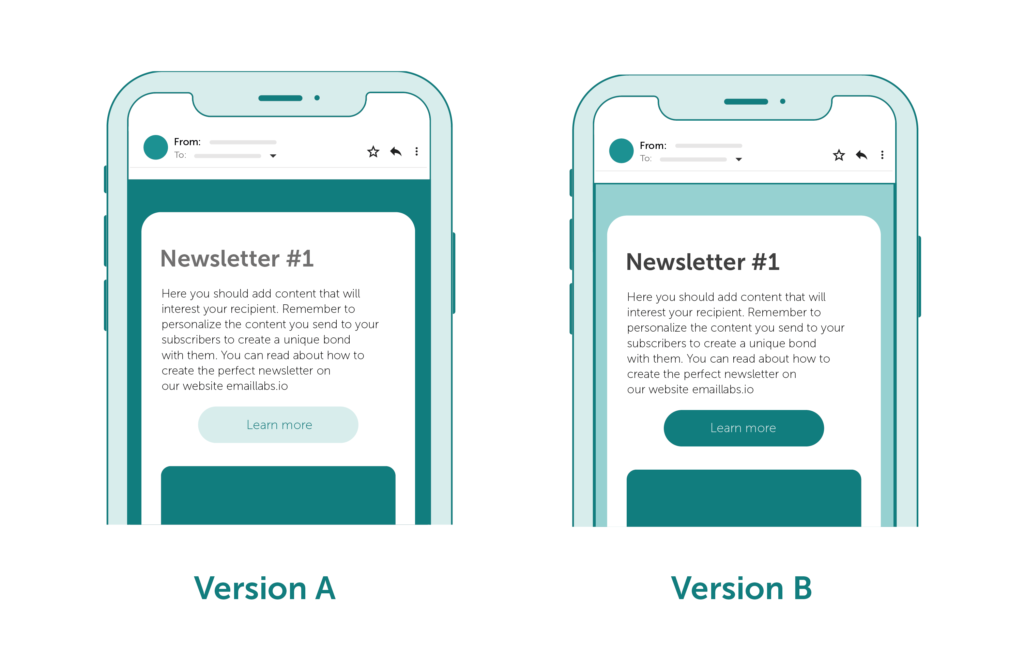
A/B testing (or split testing) should be a core component of any mass email strategy. By testing different subject lines, sender names, content layouts, or calls to action (CTAs), you can identify what resonates most with different segments. When combined with advanced segmentation, A/B testing significantly improves relevance. For example, you might find that one segment prefers discount-focused subject lines, while another responds better to educational content.
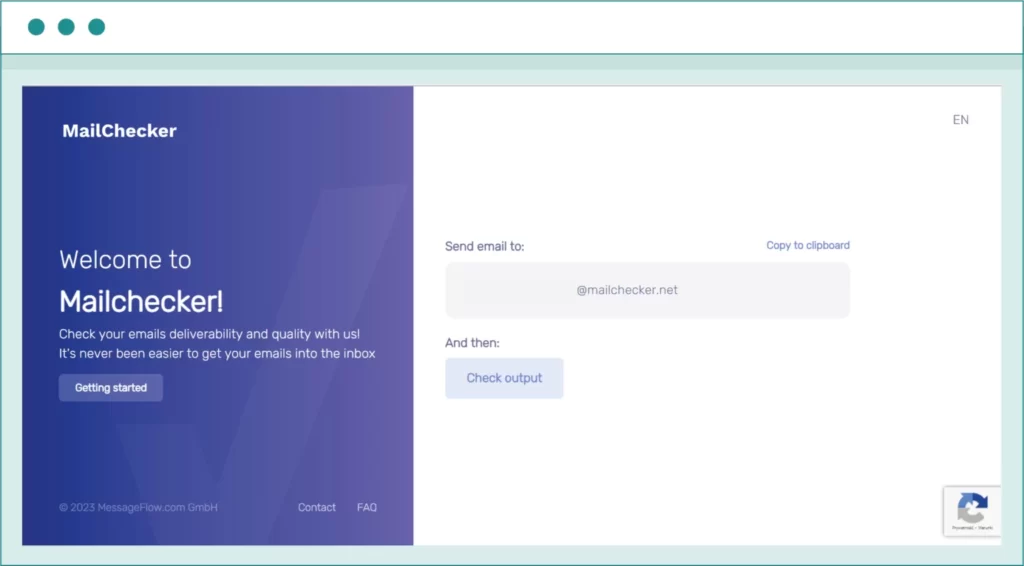
Beyond content, technical validation is essential. Tools like Mailchecker help ensure emails are optimized for inbox placement by analyzing how mailbox providers perceive them.
A robust check should cover:
In mass email campaigns, the inbox is only the starting point. What happens after the click plays a key role in long-term deliverability and performance.
Landing pages provide controlled environments where email engagement signals can be measured and optimized. When recipients open emails, click links, and interact with landing pages, mailbox providers interpret this behavior as a sign of sender credibility.
Well-designed landing pages help you:
While your ESP handles the delivery, your ecosystem should support seamless integration. Email service providers that allow easy connection to landing page tools or CMS platforms simplify the user journey. When landing page analytics are combined with delivery data (opens, clicks, bounces), you gain a complete, 360-degree view of campaign health – from the initial send to the final conversion.
Mastering mass email sending in 2026 requires more than just a list of email addresses. It demands strategic planning, specialized tools, and strict adherence to deliverability best practices.
While methods like BCC or Mail Merge may seem tempting for very small batches, they cannot support sustainable business growth. The limits are too strict, the risks too high, and the lack of data too blinding. To scale effectively, you need infrastructure designed for high-volume, reliable delivery.
With EmailLabs, you gain access to dedicated IPs, advanced analytics, and expert support – enabling you to move beyond the limitations of standard email clients and scale mass email campaigns while maintaining a strong sender reputation.
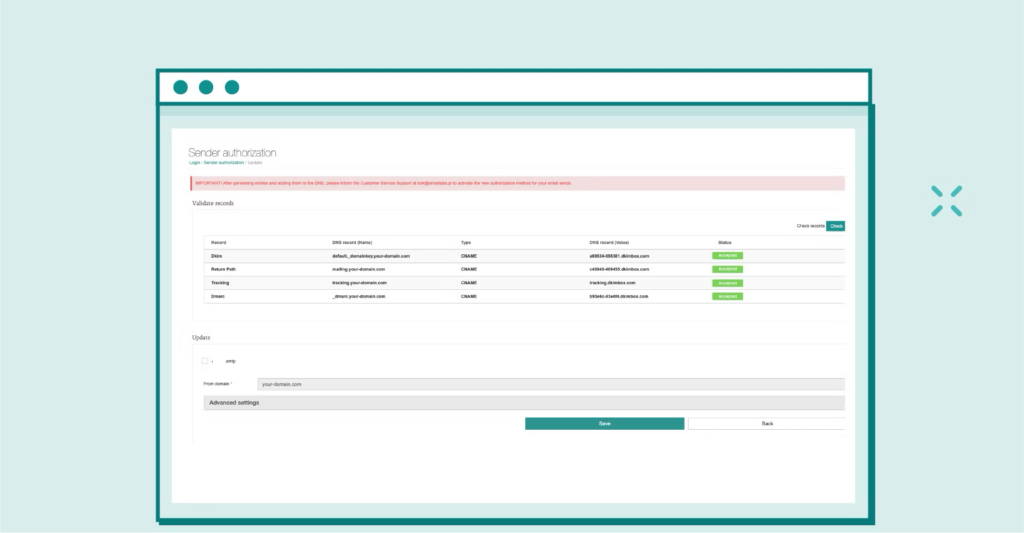
Create a free EmailLabs account to experience professional delivery standards. Scale seamlessly to dedicated infrastructure and unlimited volume whenever your business is ready.
The best approach is to use a dedicated bulk email service provider (ESP) rather than a personal inbox. Ensure you use authentication tools (SPF, DKIM, DMARC), send from a Dedicated IP to protect your reputation, and use built-in list hygiene features to remove inactive users automatically.
Technically yes, but it is not recommended for larger recipient lists (over 100 people) or recurring campaigns. Gmail imposes strict daily sending limits, lacks analytics, and using it for commercial mass email can negatively impact your personal domain’s reputation and lead to account suspension.
Gmail allows only a limited number of emails per day. Personal Gmail accounts are typically limited to roughly 500 emails per day, while Google Workspace accounts allow higher volumes (up to 2,000) but still enforce strict caps on recipients per message. Exceeding these limits results in temporary blocks.
Bulk email (marketing) sends the same message to many recipients at once (e.g., newsletters, promotions). Transactional email is triggered by a specific user action (e.g., password reset, order confirmation, shipping update) and is sent individually. However, both benefit from the same high-performance infrastructure (SMTP/API) to ensure timely delivery.

We are a group of specialists involved in developing substantive and engaging articles on emails and their deliverability. Our value is to be part of the team that creates the EmailLabs service on a daily basis, making our content fully responsive to our audience's questions and problems. Do you have any questions? We look forward to hearing from you :)
See more articles
We live in a world where your customers switch seamlessly between laptops, smartphones, and tablets. They navigate a complex digital ecosystem – checking emails, using mobile apps, and reacting...

We are delighted to announce that Vercom S.A., the company behind the EmailLabs project, has successfully completed the ISO 22301 certification process. This significant achievement underscores our commitment to...

EmailLabs, as part of the Vercom group, proudly announces its full commitment to aligning its ICT services with the latest cybersecurity standards. In response to dynamically changing regulations, the...

We are pleased to announce that MessageFlow, a product from the Vercom S.A. group, has received the prestigious CSA (Certified Senders Alliance) Certification. This recognition not only underscores the...
Compliance & Security, Email Marketing, Security
TL;DR DMARCbis is now official: After years of work by the IETF working group, the DMARC specification has been formally updated. Three new documents, RFC 9989, RFC 9990, and...
Email Marketing, Gmail, New feature
TL;DR Gmail Live: a new feature enabling natural language voice search in the inbox, powered by the Gemini model. AI Inbox and AI Overviews: a revamped inbox interface featuring...
Best practices, Best practices, Email Authentication
TL;DR: Strategic Takeaways for C-Level and Marketing Leaders DKIM2 is not a minor DNS configuration update. It is a systemic response to two critical business problems: Replay attacks: scenarios...
Compliance & Security, Email Marketing, Security
TL;DR DMARCbis is now official: After years of work by the IETF working group, the DMARC specification has been formally updated. Three new documents, RFC 9989, RFC 9990, and...
Email Marketing, Gmail, New feature
TL;DR Gmail Live: a new feature enabling natural language voice search in the inbox, powered by the Gemini model. AI Inbox and AI Overviews: a revamped inbox interface featuring...
Best practices, Best practices, Email Authentication
TL;DR: Strategic Takeaways for C-Level and Marketing Leaders DKIM2 is not a minor DNS configuration update. It is a systemic response to two critical business problems: Replay attacks: scenarios...

AI, Antispam, Best practices, Deliverability
C-Level TL;DR: Strategic Takeaways Recipient consent as a foundation (Item 0): Sending email messages without explicit recipient consent (opt-in) poses a significant risk to your sending infrastructure. Attempting to...

AI, Antispam, Best practices, Deliverability
Executive TL;DR: Strategic Takeaways Deliverability Schism: The growing divide between sales automation technologies and the security standards enforced by major global mailbox providers (collectively referred to as MAGY) is...

Modern email systems no longer treat the primary inbox as the default destination for every message. The final classification of an email is the result of a multistage evaluation...

Best practices, Maile marketingowe, Marketing E-mails, Transactional Emails
Mass email sending is a critical strategy for business owners, marketers, developers, and nonprofit managers looking to scale their outreach. Whether you are announcing a new product feature, distributing...

Best practices, Marketing E-mails
Customer feedback is the fuel for business growth, but gathering it effectively requires more than just a list of questions. Survey emails remain the most direct channel for understanding...

Best practices, Email Marketing, Pytania i odpowiedzi
Mail merge combines a template document with data to create personalized communications. This technique saves time by automatically generating individualized letters, emails, and labels without manual entry. What Is...

