
Email Marketing, Marketing E-mails, Transactional Emails
Email Marketing, Marketing E-mails, Transactional Emails
Email remains one of the most effective channels for digital communication, with different types serving various purposes in the customer journey.
Understanding these distinct categories helps optimize your communication strategy and ensures your messages reach the right audience at the right time.
(For a deeper dive into two of the most fundamental types, explore the Transactional Email vs Marketing Email: A Comprehensive Guide).
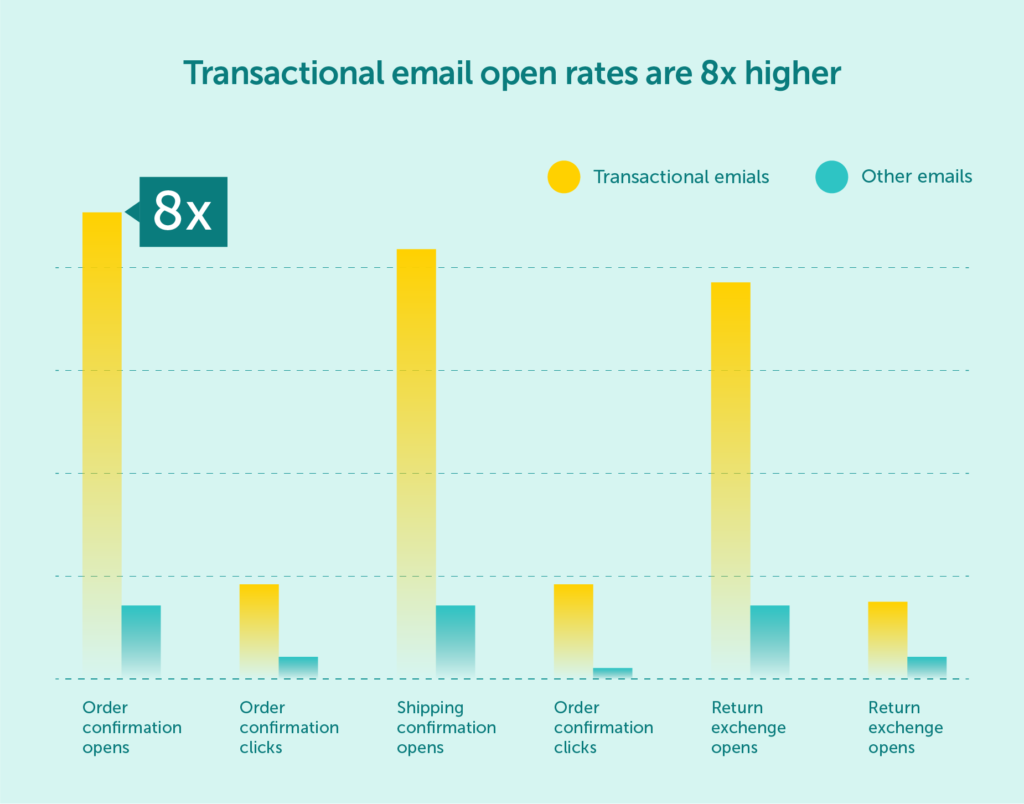
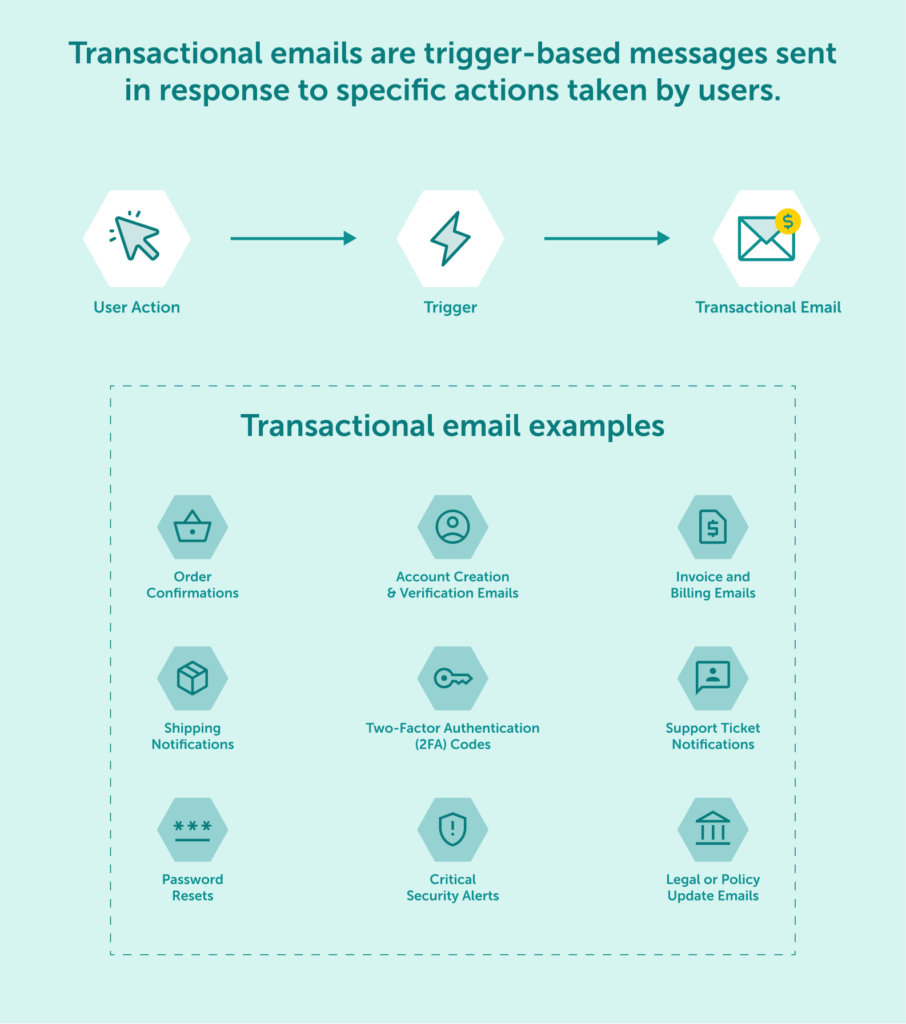
Transactional emails are trigger-based messages sent in response to specific actions taken by users. Unlike other types of communications, these emails provide essential information that recipients actively expect and need. They typically achieve high open rates because users anticipate receiving them to complete actions or stay informed about account activities.
For a subset of these communications, particularly those where validity is often measured in minutes or even seconds, even minor delays in delivery can be detrimental. Therefore, ensuring such messages receive the utmost dispatch priority within the sending infrastructure is paramount for user experience, security, and business process integrity.
Order confirmation emails serve as official receipts that validate purchases. These messages reassure customers that their transaction was successful while providing essential details about their order. Particularly for high-value or digital goods transactions, the immediacy of this confirmation can be critical for customer peace of mind.
An effective order confirmation email includes:
These emails establish trust and reduce post-purchase anxiety. They also present opportunities to enhance the customer experience by including tracking information, return policies, and product care instructions.
Shipping notification emails keep customers informed about the status of their orders from the warehouse to the doorstep. These transactional messages typically include:
Timely shipping notifications reduce customer service inquiries and build trust by maintaining transparency throughout the fulfillment process. They can also serve as touchpoints to encourage additional engagement through complementary product suggestions or social media follows (see “Hybrid Emails and the Engagement Layer” below).
Password reset emails are critical security communications sent when users request access recovery. These time-sensitive messages must be delivered immediately to provide a seamless user experience, as delays can lock users out of their accounts or lead to significant frustration. The link or code provided often has a short expiration time for security reasons, making rapid delivery essential.
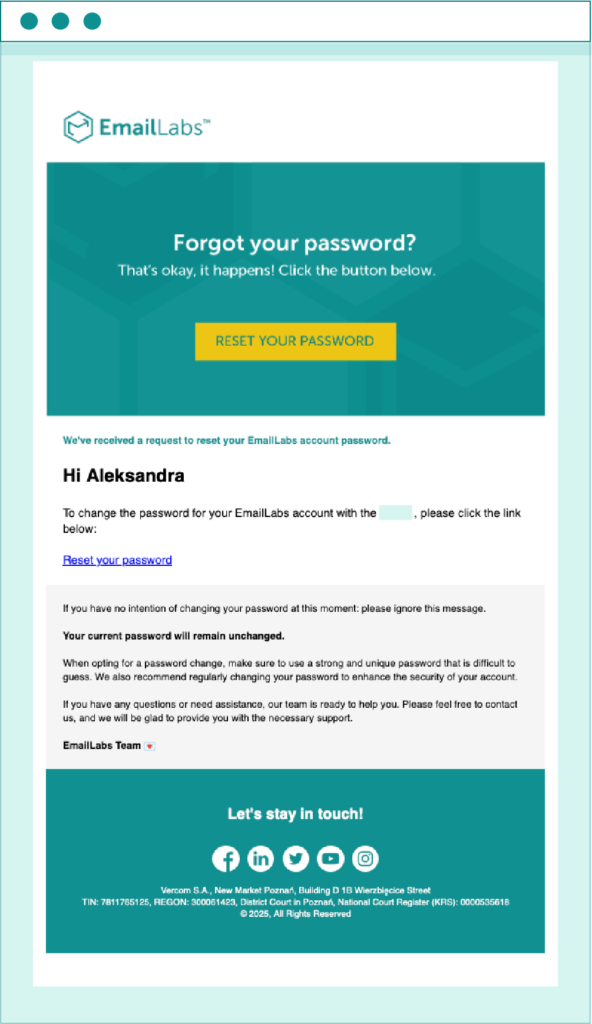
Effective password reset emails:
Security is paramount for these emails – proper authentication methods like SPF, DKIM, and DMARC are absolutely necessary to prevent phishing attempts and ensure they don’t trigger spam filters.
These emails confirm that a user has successfully created an account and often require them to verify their email address by clicking a link. They are a fundamental part of the onboarding process. Verification links are frequently time-limited, so prompt delivery is crucial for a smooth sign-up experience.
Key elements include:
Essential for security, 2FA emails deliver a time-sensitive code that users need to enter in addition to their password to access their account. These codes typically expire within a few minutes, making instantaneous delivery a non-negotiable requirement. Delays can render the code useless, preventing user access and causing considerable inconvenience.
These emails must be:
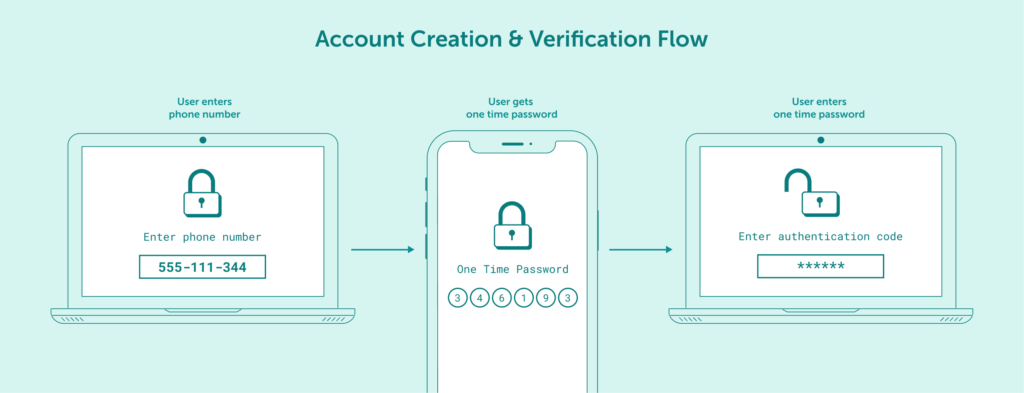
Security is the foundation of trust in digital communication. That’s why, in line with our policy, two-factor authentication (2FA) is a mandatory layer of protection for account access.
If you haven’t enabled 2FA yet in your EmailLabs panel, please configure it now to ensure uninterrupted access to our services. You’ll find a step-by-step guide in our official technical documentation: Two-Factor Authentication (2FA).
These are urgent notifications about potentially suspicious activity or important security events related to a user’s account, such as detected unusual login attempts, password changes, or updates to security settings. Effective security alerts should:
Maximize your email deliverability and security with EmailLabs!
These transactional emails provide customers with details about their payments, subscriptions, or purchases. While generally less acutely time-sensitive than OTPs, prompt delivery of invoices, especially for B2B transactions or time-limited payment windows, is important for financial clarity and timely payments. Instant confirmations of significant financial transactions also fall into a category where speed is valued.
Important components are:
When a customer contacts support, these emails acknowledge receipt of their query and provide updates on its status. They typically feature:
These emails inform users about important changes to a company’s terms of service, privacy policy, or other legal agreements. Effective legal update emails:
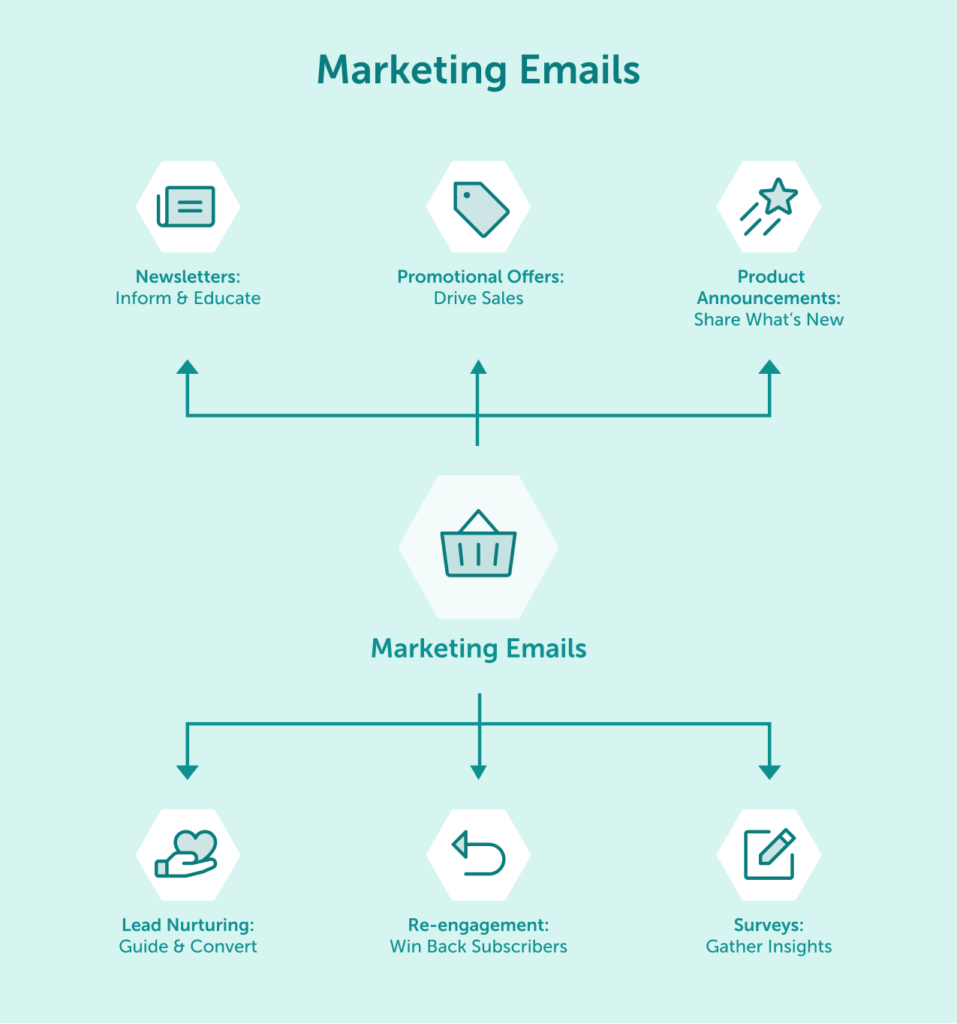
Marketing emails aim to drive engagement, boost conversions, and nurture customer relationships. Unlike transactional emails, these messages require explicit consent under regulations like GDPR and need to include clear unsubscribe options in every communication.
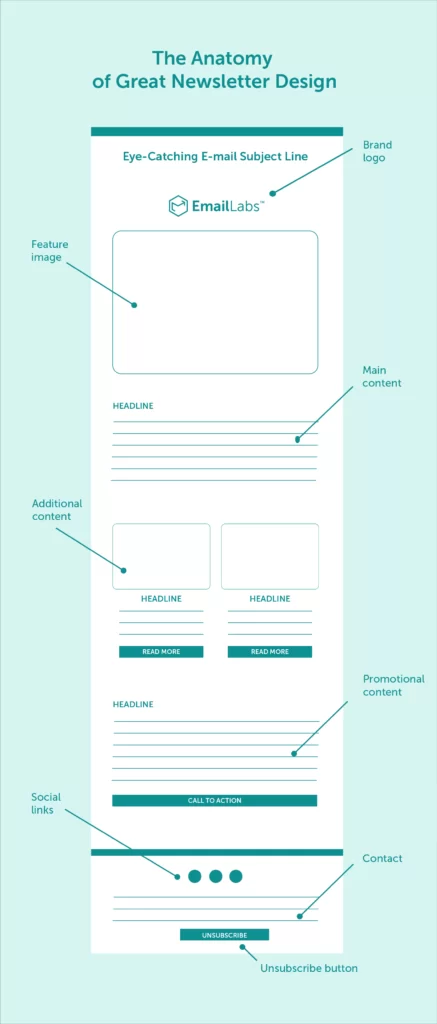
Newsletters are regular, scheduled emails that keep subscribers informed about company news, industry trends, and valuable content. They serve as a consistent touchpoint to maintain brand presence in the recipient’s inbox. While primarily a marketing tool, newsletters often incorporate educational content to provide ongoing value.
Effective newsletters:
Newsletters build long-term relationships by delivering consistent value rather than pushing immediate sales. They help establish your brand as a trusted authority within your industry.
Promotional emails communicate special deals, discounts, and limited-time promotions to drive immediate sales. These emails typically highlight specific products or services and create urgency to encourage quick action.
Successful promotional emails include:
Rather than using generic discount language, consider creative approaches that stand out in crowded inboxes. Phrases like “exclusive access,” “members-only,” or “early bird” can perform better than standard percentage-off messaging.
Product announcement emails introduce new offerings or significant updates to your existing lineup. These emails generate excitement and inform your audience about innovations while showcasing how these developments address customer needs.
Effective product announcement emails:
Product announcements work best when targeted to the most relevant segments of your audience. A customer who previously purchased related items or viewed similar products will be more receptive than someone with no demonstrated interest in that category.
These are automated sequences of emails designed to guide potential customers through the sales funnel. Each email in the sequence provides relevant information or offers, progressively building interest and trust. Effective drip campaigns:
Aimed at inactive subscribers, these emails attempt to rekindle their interest in your brand, products, or services. Successful re-engagement emails might:
While feedback can be transactional (e.g., post-support survey), marketing surveys aim to gather insights for product development, market research, or content strategy. These emails should:
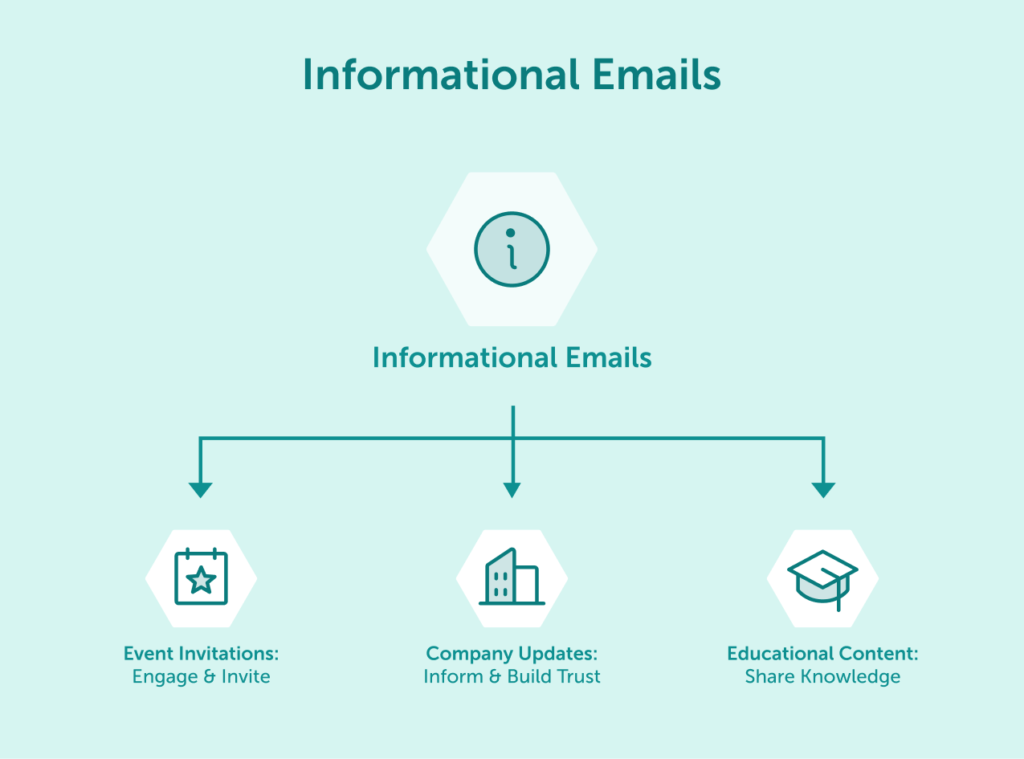
Informational emails primarily educate and inform recipients rather than directly driving sales. These communications build trust and credibility by providing value without immediately asking for a purchase. Unlike marketing newsletters which may blend company news with educational content, purely informational emails focus on delivering objective value and expertise on a specific topic.
Event invitation emails encourage participation in webinars, workshops, conferences, or other gatherings. Whether for in-person or virtual events, these emails need to clearly communicate the value proposition of attending.
Key elements of successful event invitations include:
For maximum effectiveness, event invitations often benefit from a sequence approach: an initial announcement, reminder messages as the date approaches, and last-chance notifications for undecided recipients.
Company update emails inform subscribers about significant business developments such as mergers, relocations, leadership changes, or major milestones. These communications maintain transparency and keep stakeholders engaged with organizational progress.
Effective company update emails:
While less overtly promotional than marketing messages, company updates help strengthen brand perception and foster community around your business.
Educational emails deliver valuable information related to your industry, products, or services. These messages position your brand as a helpful resource rather than just a vendor.
Types of educational content emails include:
Educational content emails typically achieve higher engagement rates because they focus on addressing recipient needs rather than promoting products. When done consistently, they establish your brand as a thought leader in your field.
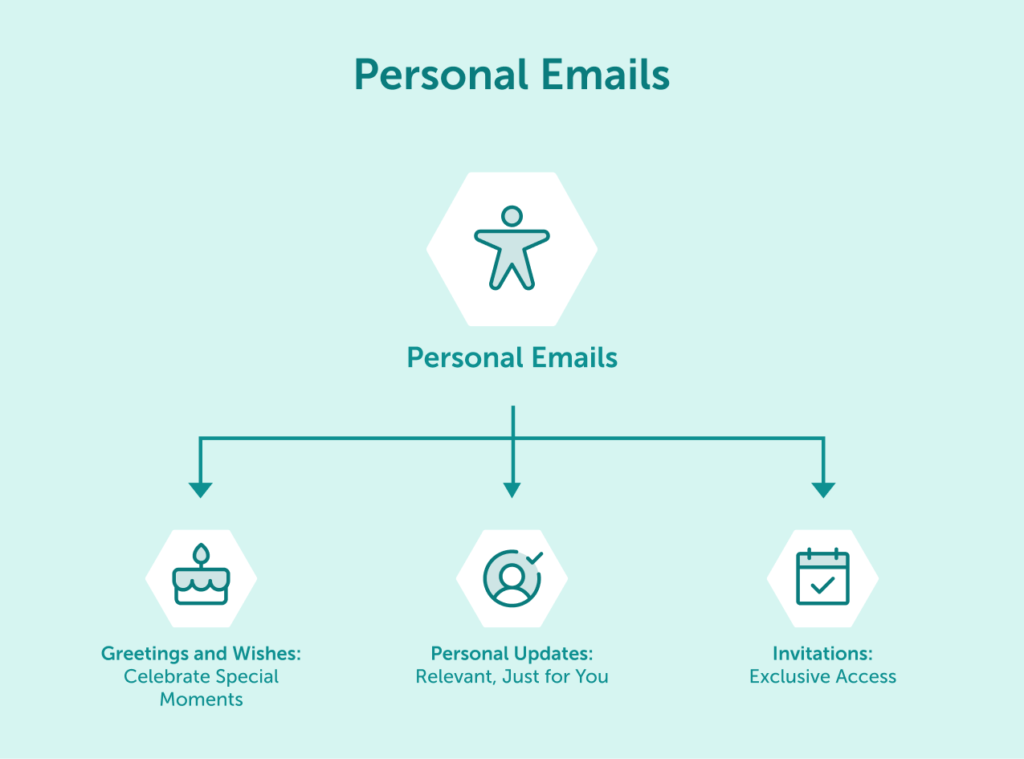
Personal emails foster individual connections and acknowledge important moments in the customer relationship. These messages are highly targeted and often conversational in tone.
Greeting emails acknowledge special occasions like birthdays, anniversaries, or holidays. They demonstrate that your brand values the individual relationship beyond transactions.
Effective greeting emails:
These messages should feel genuine rather than automated, even when sent at scale through segmentation and personalization technologies.
Personal update emails inform customers about changes or developments relevant to their specific relationship with your company. These might include account milestones, usage statistics, or personalized recommendations based on their history.
Examples include:
These emails demonstrate attention to the individual customer relationship and provide value through personalized insights or suggestions.
Personal invitation emails offer exclusive access or opportunities to select customers. Unlike mass event invitations, these are targeted to specific segments based on loyalty, purchase history, or other qualifying factors.
Examples include:
The exclusivity factor makes these emails particularly effective at driving engagement among your most valuable customers.
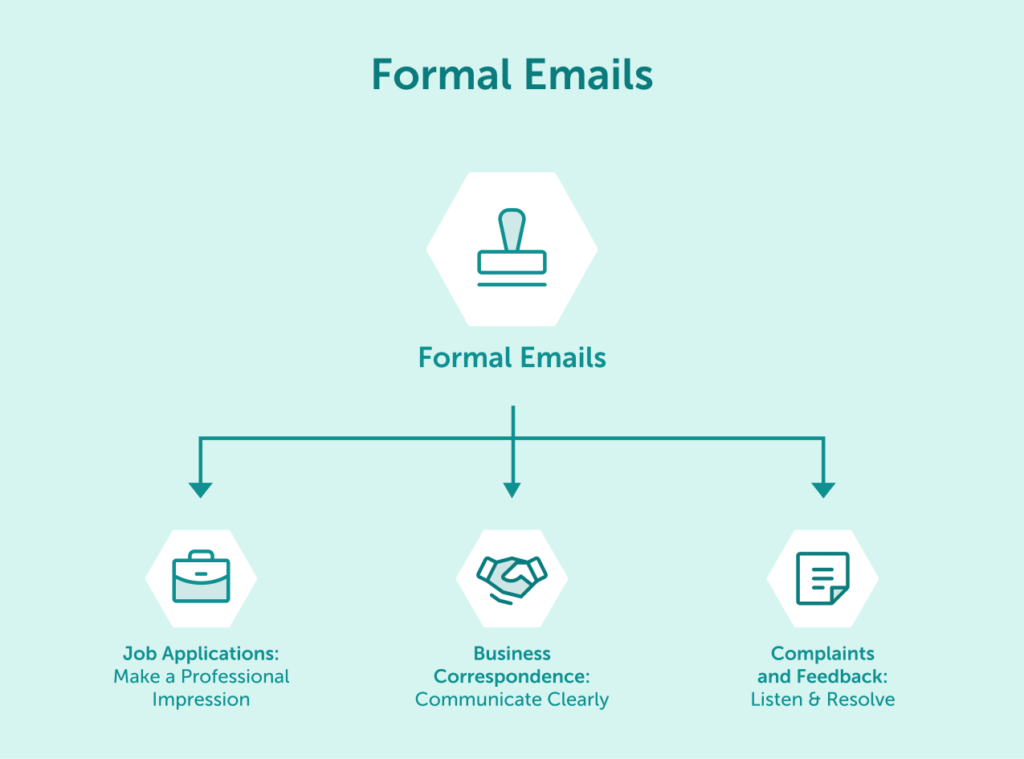
Formal emails maintain professional communication standards in business contexts. These messages tend to be more structured and direct than other email types.
Job application emails require clarity and professionalism to make a positive impression on potential employers. These emails typically include:
For recipients, proper handling of job application emails includes acknowledgment of receipt and clear communication about next steps in the hiring process.
Business correspondence emails facilitate professional communication between organizations or departments. These messages cover everything from partnership proposals to contract negotiations and general business inquiries.
Effective business correspondence:
These emails should be straightforward and efficient while maintaining appropriate formality based on your relationship with the recipient.
Complaint and feedback emails address concerns or provide input about products, services, or experiences. From the sender’s perspective, these should clearly articulate the issue and desired resolution; from the receiver’s side, these represent critical opportunities for service recovery.
Best practices for handling complaint emails include:
When managed effectively, complaint emails can transform negative experiences into loyalty-building opportunities.
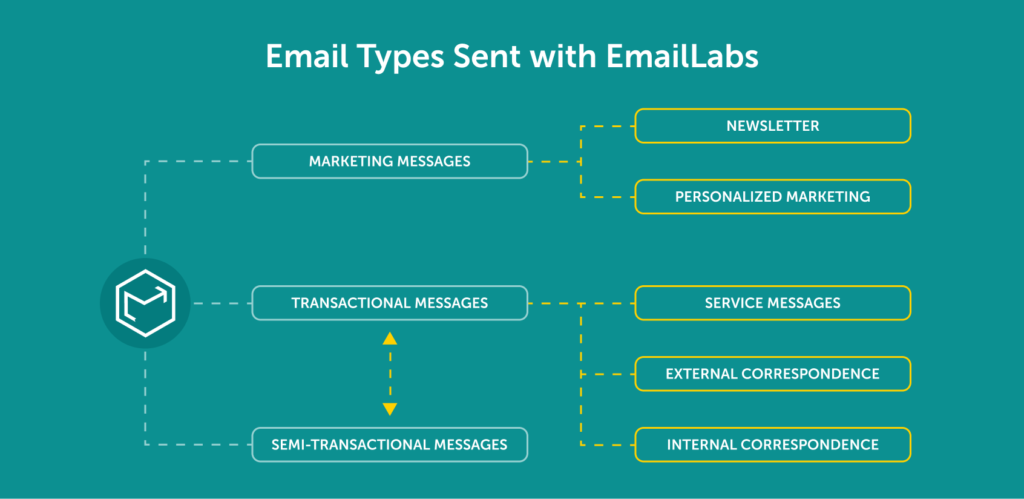
It’s important to recognize that the lines between email types can sometimes blur. Hybrid emails strategically combine elements from different categories to achieve multiple objectives. This approach is often part of what many businesses refer to as an “engagement layer,” where transactional touchpoints are subtly enhanced with marketing elements. For instance, adding gentle purchase suggestions to a delivery confirmation email (a common transactional message) can naturally increase opportunities for additional sales within the context of an existing customer interaction.
Other examples include:
The key to successful hybrid emails is to ensure the primary purpose (usually transactional or informational) remains clear and prominent, with any secondary marketing elements being relevant and unobtrusive. Transparency and customer consent (especially for marketing components) remain crucial.
Managing different types of emails requires a robust, reliable infrastructure that ensures your messages reach the intended inbox. EmailLabs provides dedicated email delivery servers that enhance your communications, enhancing deliverability for all types of emails. The way mailbox providers categorize emails into tabs like Primary or Promotions significantly impacts visibility, especially for marketing communications. While this classification is ultimately up to the receiving system, utilizing infrastructure best practices, such as dedicated IP addresses for different email streams (marketing vs. transactional), can help mailbox providers better recognize and sort your traffic. (For a deeper understanding, read about Email Tabs and Their Impact on Email Deliverability: A Comprehensive Guide). With real-time monitoring, detailed message logs, and expert support, EmailLabs helps you optimize every aspect of your email strategy.
Our infrastructure is designed to handle high-volume sending while maintaining the speed and reliability that critical communications demand. Whether you’re sending order confirmations that need immediate delivery or carefully crafted marketing campaigns, EmailLabs ensures your messages arrive at the right time with proper authentication and encryption.
Take control of your email deliverability with dedicated IPs, comprehensive analytics, and 24/7 infrastructure monitoring from a team that understands the nuances of email delivery across global markets.
Understanding the different types of emails and their specific purposes allows you to craft more effective communication strategies. Transactional emails keep customers informed about essential actions. Marketing emails drive engagement and conversions. Informational emails build trust through education. Personal emails foster individual connections, while formal emails maintain professional standards. Recognizing that some emails may blend these functions (hybrid emails with the engagement elements) adds another layer to strategic planning.
Each email type serves a distinct role in the customer journey and requires thoughtful consideration of content, timing, and design. By implementing best practices for each category, you can create email experiences that resonate with recipients and achieve your communication goals.
When messages are relevant, timely, and properly delivered, they strengthen the relationship between sender and recipient – the ultimate goal of any email communication.

We are a group of specialists involved in developing substantive and engaging articles on emails and their deliverability. Our value is to be part of the team that creates the EmailLabs service on a daily basis, making our content fully responsive to our audience's questions and problems. Do you have any questions? We look forward to hearing from you :)
See more articles
We live in a world where your customers switch seamlessly between laptops, smartphones, and tablets. They navigate a complex digital ecosystem – checking emails, using mobile apps, and reacting...

We are delighted to announce that Vercom S.A., the company behind the EmailLabs project, has successfully completed the ISO 22301 certification process. This significant achievement underscores our commitment to...

EmailLabs, as part of the Vercom group, proudly announces its full commitment to aligning its ICT services with the latest cybersecurity standards. In response to dynamically changing regulations, the...

We are pleased to announce that MessageFlow, a product from the Vercom S.A. group, has received the prestigious CSA (Certified Senders Alliance) Certification. This recognition not only underscores the...

Modern email systems no longer treat the primary inbox as the default destination for every message. The final classification of an email is the result of a multistage evaluation...

Best practices, Maile marketingowe, Marketing E-mails, Transactional Emails
Mass email sending is a critical strategy for business owners, marketers, developers, and nonprofit managers looking to scale their outreach. Whether you are announcing a new product feature, distributing...

Best practices, Marketing E-mails
Customer feedback is the fuel for business growth, but gathering it effectively requires more than just a list of questions. Email surveys remain the most direct channel for understanding...
Modern email systems no longer treat the primary inbox as the default destination for every message. The final classification of an email is the result of a multistage evaluation...
Best practices, Maile marketingowe, Marketing E-mails, Transactional Emails
Mass email sending is a critical strategy for business owners, marketers, developers, and nonprofit managers looking to scale their outreach. Whether you are announcing a new product feature, distributing...
Best practices, Marketing E-mails
Customer feedback is the fuel for business growth, but gathering it effectively requires more than just a list of questions. Email surveys remain the most direct channel for understanding...

Best practices, Email Marketing, Pytania i odpowiedzi
Mail merge combines a template document with data to create personalized communications. This technique saves time by automatically generating individualized letters, emails, and labels without manual entry. What Is...

IT & Tech, Pytania i odpowiedzi, Technical
When an email travels from sender to recipient, it passes through several critical components of email infrastructure. At the heart of this journey sits the Mail Transfer Agent (MTA)...

Best practices, Deliverability, Google and Yahoo's Requirements, Pytania i odpowiedzi
The world of email marketing is constantly evolving, and leading mail service providers – Gmail, Yahoo, Microsoft, and Apple – regularly update their guidelines for senders. In recent years,...

Gmail, Google and Yahoo's Requirements
You might have noticed a new item in your Gmail sidebar recently – the “Manage subscriptions” tab, often flagged with a blue notification dot. While Google announced this feature...
IT & Tech, Pytania i odpowiedzi, Technical
Efficient email communication isn’t just about sending messages — it also involves integrating email functionality into your business systems and applications. Email APIs (Application Programming Interfaces) serve as the...
One of the most important yet often underestimated elements in shaping a company’s brand perception is the transactional email. In e-commerce, the design of such messages must be carefully...

