
IT & Tech, Pytania i odpowiedzi, Technical
IT & Tech, Pytania i odpowiedzi, Technical
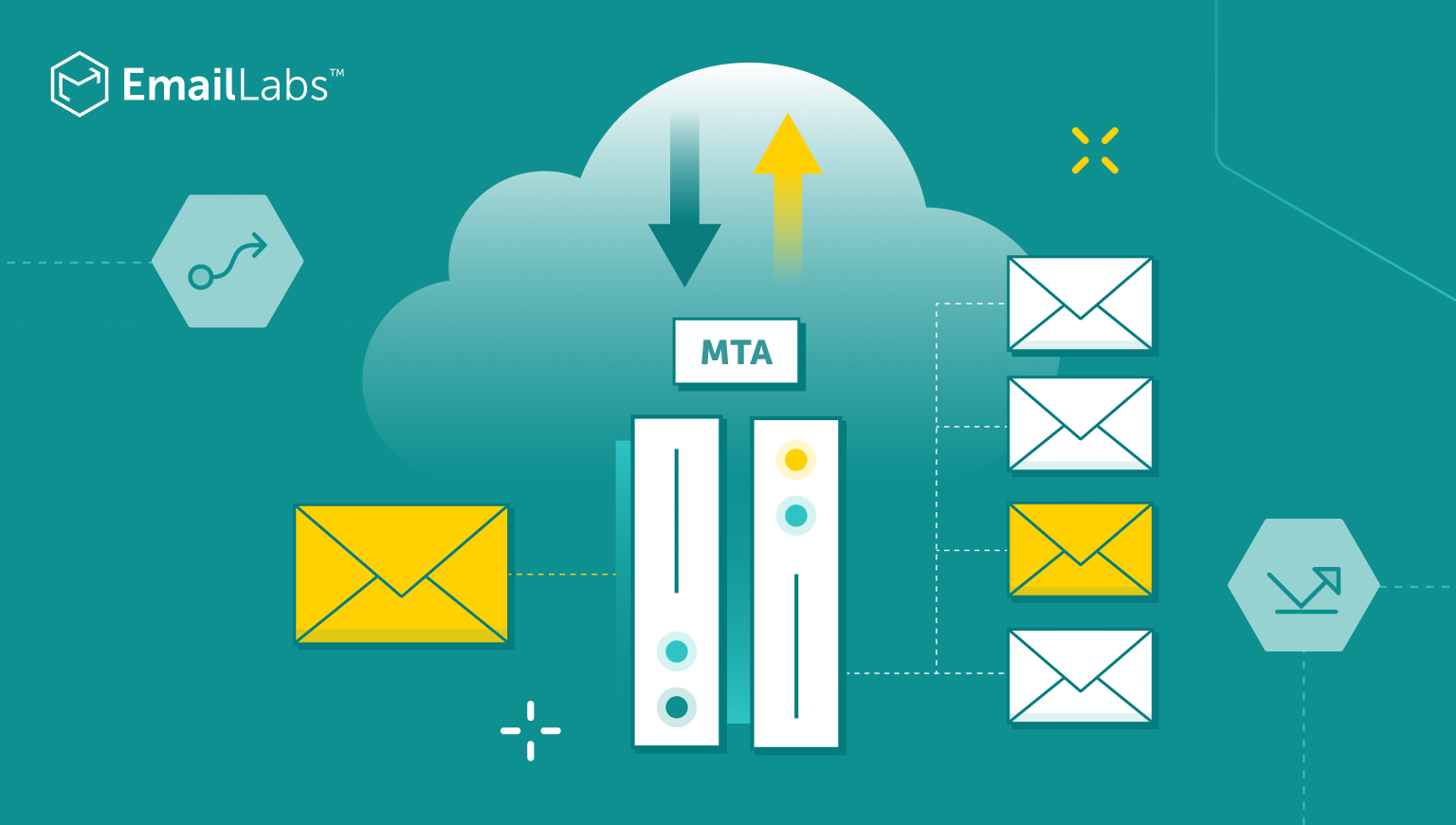
When an email travels from sender to recipient, it passes through several critical components of email infrastructure. At the heart of this journey sits the Mail Transfer Agent (MTA) – the workhorse responsible for routing messages across networks.
While often invisible to end users, MTAs determine whether emails arrive promptly in the inbox or languish in spam folders. Let’s get into the mechanics, capabilities, and considerations of these essential email components.
Mail Transfer Agents occupy a critical position in the email delivery chain, often operating invisibly behind the scenes while determining whether messages reach their intended destinations.
A Mail Transfer Agent (MTA) is specialized software that transfers electronic mail messages between computers using the Simple Mail Transfer Protocol (SMTP). MTAs serve as the postal service of the internet, accepting, routing, and delivering email messages across networks and domains.
Unlike consumer-facing email clients, MTAs operate behind the scenes, handling the complex logistics of email delivery. They’re sometimes called mail relays, mail routers, or mail servers – different names for the same core functionality.
The primary functions of an MTA include:
| Function | Description |
|---|---|
| Message acceptance | Receiving emails from Mail User Agents or other MTAs |
| Message routing | Determining the optimal path for email delivery |
| Queue management | Storing messages temporarily when immediate delivery isn’t possible |
| Delivery attempts | Making multiple attempts to deliver messages when initial attempts fail |
| Bounce handling | Generating failure notifications when messages can’t be delivered |
| Authentication support | Implementing protocols like SPF, DKIM, and DMARC |
MTAs directly impact email deliverability through their handling of authentication, IP reputation management, and adherence to sending best practices. A properly configured MTA helps legitimate messages reach recipients’ inboxes while preventing spam from overwhelming email systems.
MTAs use a store-and-forward model where messages are temporarily stored in queues before being relayed to the next server. This approach provides resilience against network disruptions and allows for multiple delivery attempts if the recipient’s server is temporarily unavailable.
MTAs maintain queues of outgoing messages, prioritizing them based on various factors including urgency, size, and destination. When an MTA encounters delivery problems, it will retry delivery at increasing intervals before eventually generating a bounce message.
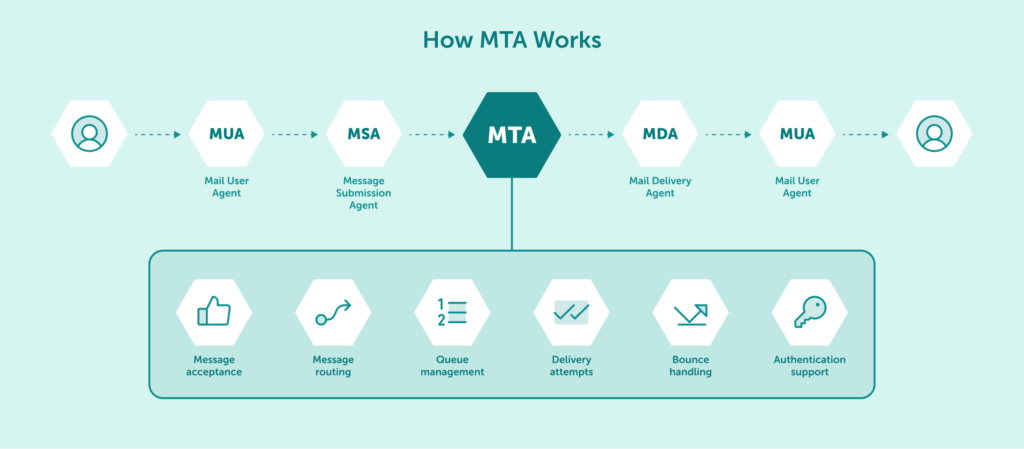
The email delivery process involves several interconnected components that work with MTAs to ensure messages reach their intended recipients.
The Mail User Agent is the email client software that end users interact with to compose, send, and read messages. Common MUAs include:
MUAs don’t communicate directly with recipient mail servers; instead, they pass outgoing messages to an MSA or MTA for delivery. The MUA formats messages according to internet standards and provides the user interface for email composition and management.
While the MUA handles the user experience aspects of email, it relies on server-side components like MTAs to handle the actual message transport across networks.
The Mail Submission Agent serves as the entry point for messages coming from MUAs. The MSA acts as a gatekeeper, performing initial validation and authentication before handing messages to an MTA for routing and delivery.
Key differences between MSAs and MTAs include:
| Characteristic | MSA | MTA |
|---|---|---|
| Primary role | Accept messages from authenticated users | Route messages between servers |
| Default port | 587 | 25 |
| Authentication | Required | Optional |
| Connection source | Typically user email clients | Other mail servers or MSAs |
| Spam filtering | Often performs initial checks | May perform additional filtering |
MSAs typically enforce authentication requirements, ensuring that only authorized users can send messages through the system. This helps prevent unauthorized use of mail servers to send spam or malicious content.
The Mail Delivery Agent handles the final delivery of messages to recipient mailboxes. The MDA receives messages from an MTA and places them into the appropriate user mailbox storage system, often applying filters and sorting rules in the process.
MDAs may provide additional services such as:
The MDA represents the last step in the server-side email delivery process before a recipient’s MUA retrieves the message for reading. Different email systems use various MDA implementations, each with their own features and capabilities.
Several protocols enable MTAs to communicate with other components of the email infrastructure. These standardized communication methods ensure compatibility between different email systems.
SMTP is the fundamental protocol that MTAs use to exchange messages. Developed in the early 1980s, SMTP defines how mail servers communicate to transfer email between systems.
SMTP works by finding the optimal route for email messages and delivering them to the recipient’s email server, using dedicated ports to establish connections between servers.
SMTP servers operate in two main categories:
The SMTP communication process follows a defined sequence:
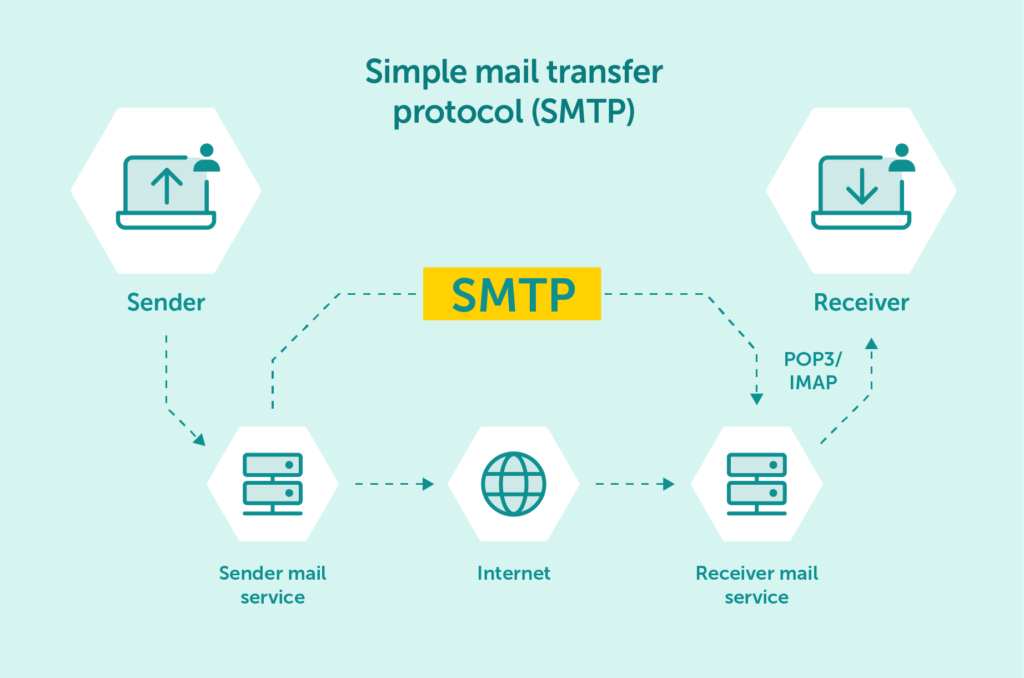
MTAs primarily use port 25 for server-to-server communication and port 587 for accepting messages from authenticated clients, with both ports commonly implementing TLS encryption for security. To learn more about the specific roles and differences, read our detailed guide on SMTP ports 25, 465, and 587.
While MTAs use SMTP for message transport, end users retrieve their messages using either POP3 or IMAP. These protocols define how email clients access messages stored on mail servers after MTAs have completed their delivery work.
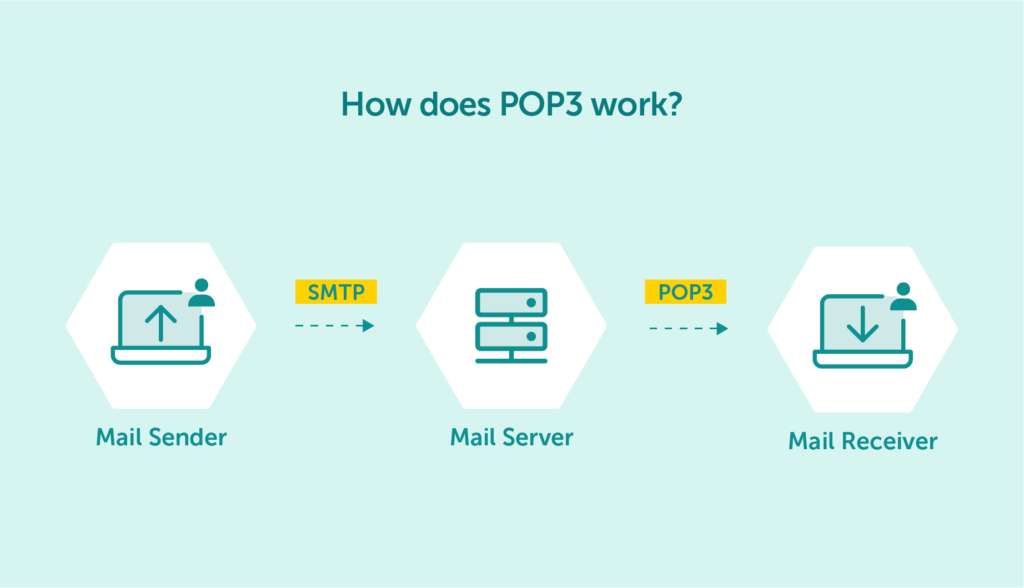
POP3 (Post Office Protocol 3) transfers emails from a server to a client device, enabling offline reading. It downloads emails and typically removes them from the server, making it ideal for single-device users. Operating on port 110 with optional SSL/TLS encryption, POP3 uses simple text-based commands (USER, PASS, RETR, LIST, DELE, QUIT) for authentication and email retrieval. Its simplicity makes it easy to set up and use, but poses challenges when accessing emails from multiple devices.
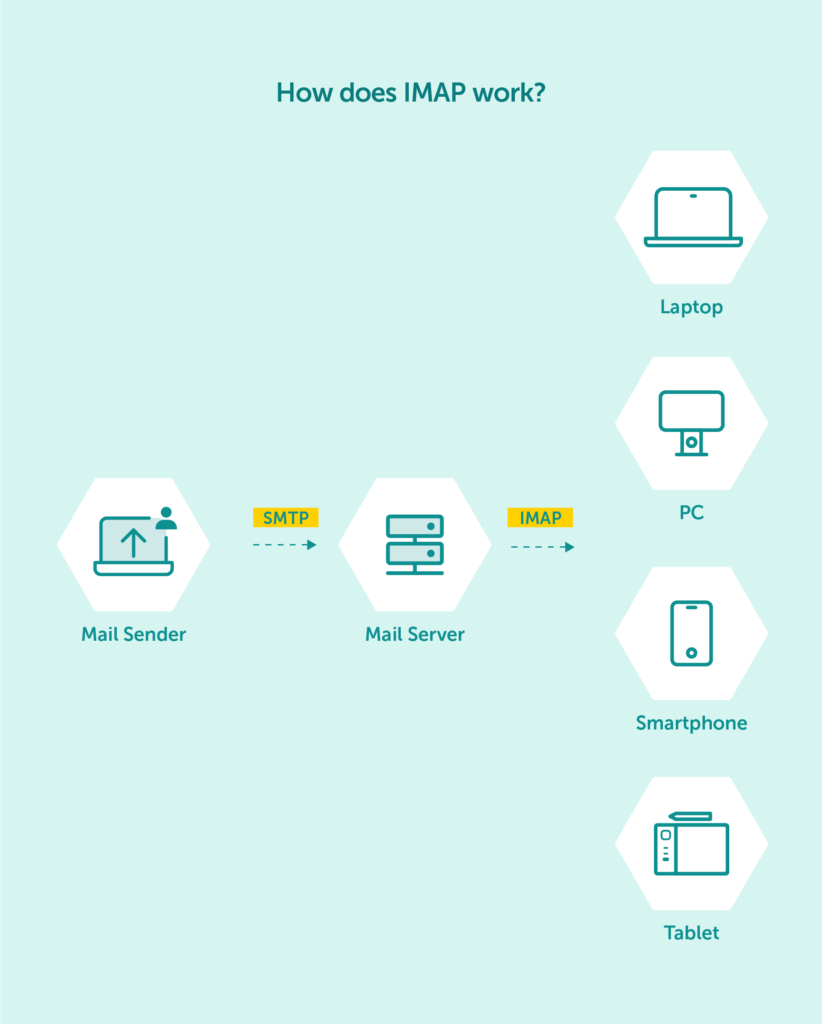
IMAP (Internet Message Access Protocol) stores emails on the server, allowing access from multiple locations simultaneously. It initially downloads only headers (date, sender, subject) and retrieves full content only when an email is opened, saving bandwidth and time. Operating on port 143 with SSL/TLS encryption, IMAP supports folder creation for better organization and real-time synchronization across devices. This makes any change made on one device visible on all others, though it requires an active internet connection and potentially more server storage.
| Feature | POP3 | IMAP |
|---|---|---|
| Storage location | Client device | Server |
| Multiple device access | Limited | Yes, simultaneous |
| Offline capability | Complete access | No (internet required) |
| Bandwidth usage | Higher initially | Lower (partial downloads) |
| Folder organization | Limited | Supports folders/subfolders |
| Security | Optional encryption | Encrypted by default |
MTAs face numerous challenges in delivering messages securely and efficiently. Addressing these challenges requires careful configuration and ongoing maintenance.
Email remains a primary vector for spam, phishing attempts, and malware distribution. Modern MTAs implement multiple layers of protection to identify and block malicious messages before they reach end users.
Common security measures in MTAs include:
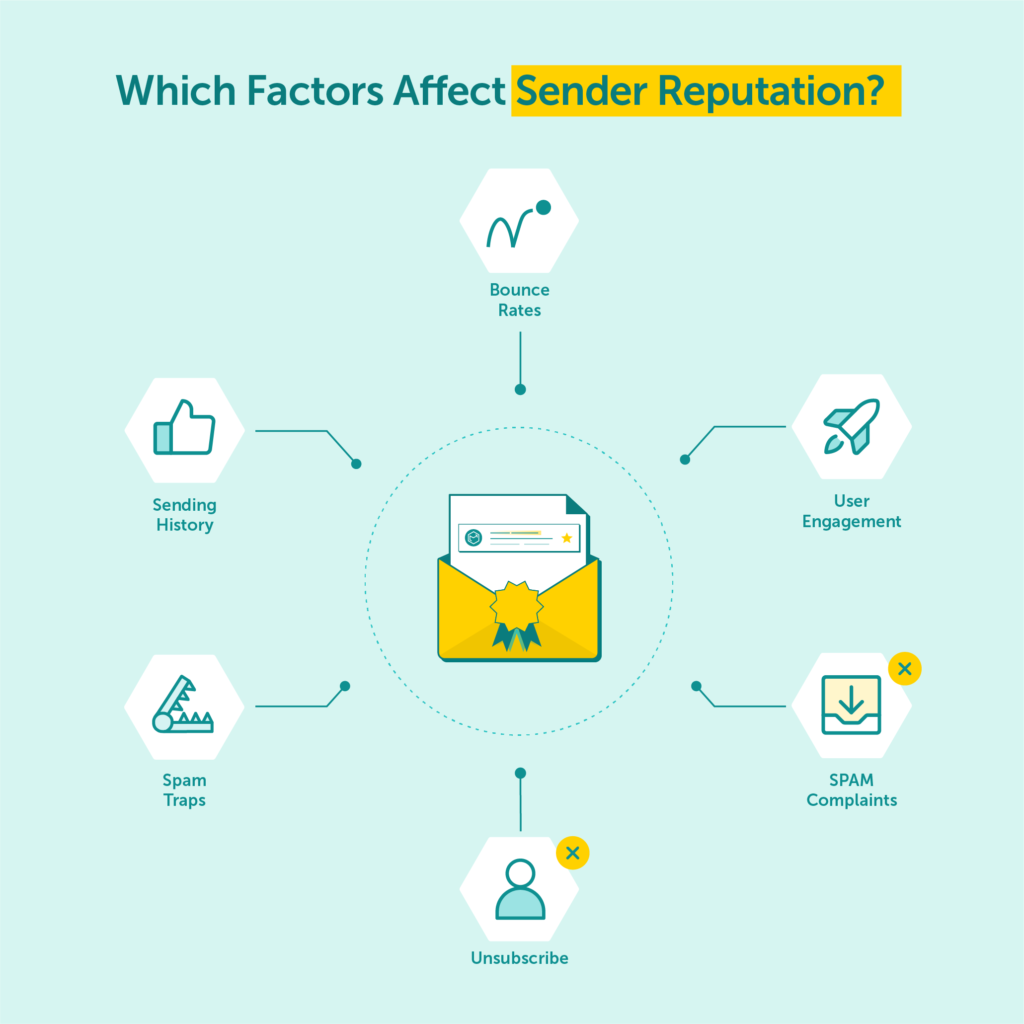
These techniques help ensure that only legitimate messages reach recipients’ inboxes. Effective spam filtering balances security with the need to avoid false positives that might block legitimate communications.
Efficient queue management directly impacts an MTA’s performance and reliability. When a message can’t be delivered immediately, it enters a queue for later delivery attempts, with the MTA balancing resource usage against the need for timely delivery.
Key aspects of queue management include:
| Aspect | Description |
|---|---|
| Queue prioritization | Determining which messages to attempt first |
| Retry scheduling | Setting intervals between delivery attempts |
| Resource allocation | Balancing CPU, memory, and network usage |
| Bounce threshold | Deciding when to give up and send failure notifications |
| Queue monitoring | Tracking queue size and delivery latency |
For high-volume email operations, MTAs must also handle message routing efficiently. This involves:
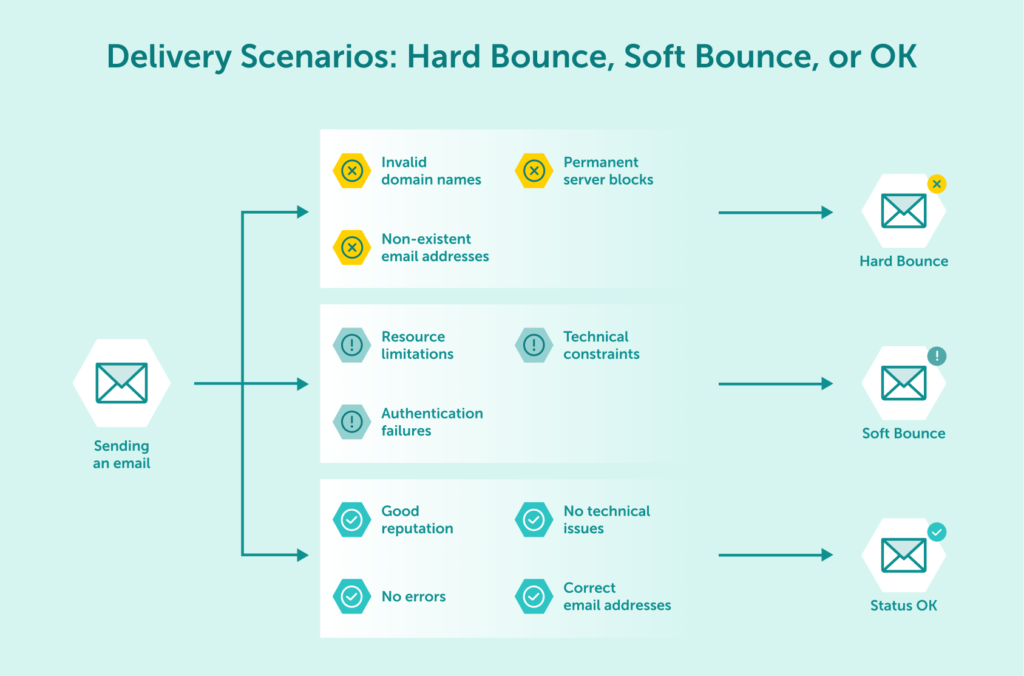
Well-configured queue management prevents bottlenecks during traffic spikes and ensures consistent delivery performance even under challenging conditions.
Configuring and maintaining MTAs requires significant technical expertise and ongoing attention. EmailLabs provides a specialized email infrastructure solution that handles the complexities of email delivery while giving you the monitoring capabilities and performance of an enterprise-grade MTA setup.
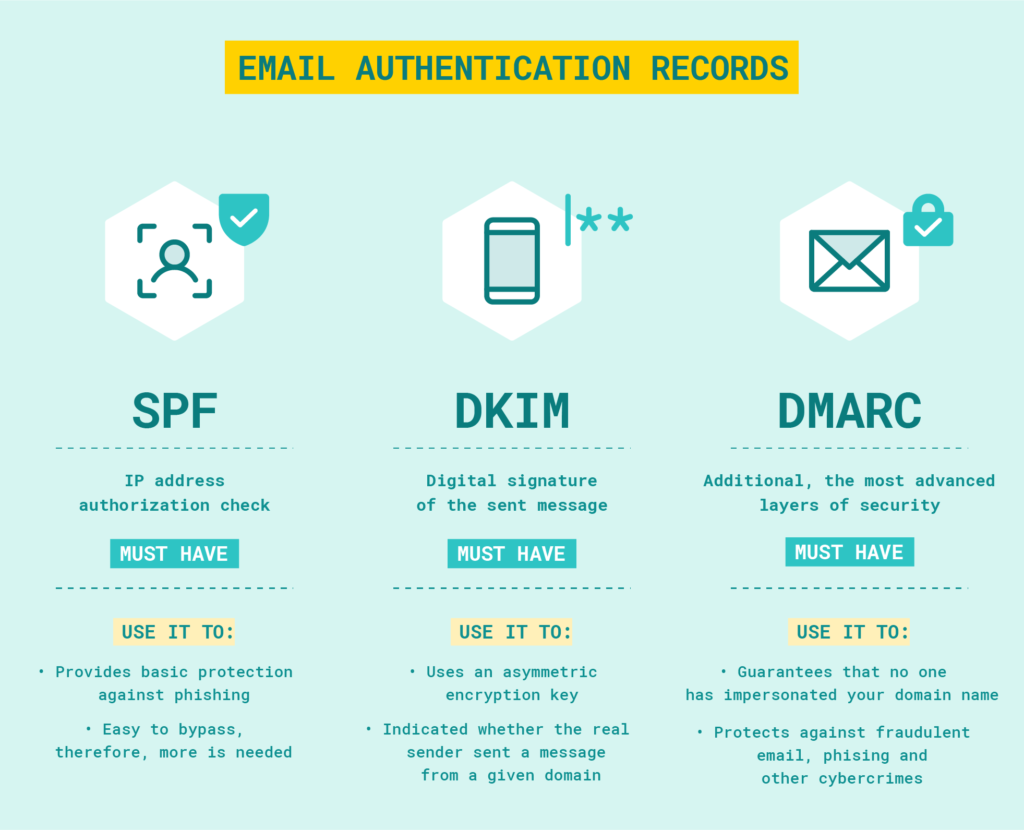
With EmailLabs, you gain the tools to effectively manage your sending reputation. We offer solutions like optional dedicated IPs, which allow you to separate your transactional and marketing email streams – a key strategy for preserving your domain reputation. The platform also includes built-in TLS encryption and provides tools, like our Sender Authorization configurator to guide you in generating the correct SPF, DKIM, and DMARC records. You then implement these records in your domain’s DNS to secure your communications.
While we recommend connecting via port 587 (using STARTTLS/TLS) for optimal compatibility, EmailLabs also supports secure integration via ports 465 (SSL), 25, and 2525.
Real-time monitoring lets you track delivery status, opens, clicks, and recipient behavior through a comprehensive analytics panel. Detailed message logs provide forensic-level visibility, allowing you to verify exactly what happened with any individual message – whether it reached the recipient’s server, when it was opened, and when links were clicked. This commitment to real-time transparency also applies to our delivery logic. Instead of holding messages in an internal retry queue for soft bounces, our platform provides an immediate synchronous response. This gives your application full control to manage its own retry schedule or trigger alternative workflows based on this instant feedback.
From the basic function of transferring messages to advanced capabilities like authentication and spam filtering, MTAs have evolved to address the growing challenges of modern email communication. Whether implemented on-premise or accessed through cloud services, effective MTA configuration remains essential for maintaining email deliverability and security.
The right MTA solution depends on specific organizational needs, technical capabilities, and operational requirements. By carefully evaluating these factors and properly configuring the selected solution, organizations can ensure their email infrastructure supports their communication needs effectively.

We are a group of specialists involved in developing substantive and engaging articles on emails and their deliverability. Our value is to be part of the team that creates the EmailLabs service on a daily basis, making our content fully responsive to our audience's questions and problems. Do you have any questions? We look forward to hearing from you :)
See more articles
We live in a world where your customers switch seamlessly between laptops, smartphones, and tablets. They navigate a complex digital ecosystem – checking emails, using mobile apps, and reacting...

We are delighted to announce that Vercom S.A., the company behind the EmailLabs project, has successfully completed the ISO 22301 certification process. This significant achievement underscores our commitment to...

EmailLabs, as part of the Vercom group, proudly announces its full commitment to aligning its ICT services with the latest cybersecurity standards. In response to dynamically changing regulations, the...

We are pleased to announce that MessageFlow, a product from the Vercom S.A. group, has received the prestigious CSA (Certified Senders Alliance) Certification. This recognition not only underscores the...

Modern email systems no longer treat the primary inbox as the default destination for every message. The final classification of an email is the result of a multistage evaluation...

Best practices, Maile marketingowe, Marketing E-mails, Transactional Emails
Mass email sending is a critical strategy for business owners, marketers, developers, and nonprofit managers looking to scale their outreach. Whether you are announcing a new product feature, distributing...

Best practices, Marketing E-mails
Customer feedback is the fuel for business growth, but gathering it effectively requires more than just a list of questions. Email surveys remain the most direct channel for understanding...
Modern email systems no longer treat the primary inbox as the default destination for every message. The final classification of an email is the result of a multistage evaluation...
Best practices, Maile marketingowe, Marketing E-mails, Transactional Emails
Mass email sending is a critical strategy for business owners, marketers, developers, and nonprofit managers looking to scale their outreach. Whether you are announcing a new product feature, distributing...
Best practices, Marketing E-mails
Customer feedback is the fuel for business growth, but gathering it effectively requires more than just a list of questions. Email surveys remain the most direct channel for understanding...

Best practices, Email Marketing, Pytania i odpowiedzi
Mail merge combines a template document with data to create personalized communications. This technique saves time by automatically generating individualized letters, emails, and labels without manual entry. What Is...

IT & Tech, Pytania i odpowiedzi, Technical
When an email travels from sender to recipient, it passes through several critical components of email infrastructure. At the heart of this journey sits the Mail Transfer Agent (MTA)...

Best practices, Deliverability, Google and Yahoo's Requirements, Pytania i odpowiedzi
The world of email marketing is constantly evolving, and leading mail service providers – Gmail, Yahoo, Microsoft, and Apple – regularly update their guidelines for senders. In recent years,...

Gmail, Google and Yahoo's Requirements
You might have noticed a new item in your Gmail sidebar recently – the “Manage subscriptions” tab, often flagged with a blue notification dot. While Google announced this feature...
IT & Tech, Pytania i odpowiedzi, Technical
Efficient email communication isn’t just about sending messages — it also involves integrating email functionality into your business systems and applications. Email APIs (Application Programming Interfaces) serve as the...

One of the most important yet often underestimated elements in shaping a company’s brand perception is the transactional email. In e-commerce, the design of such messages must be carefully...

