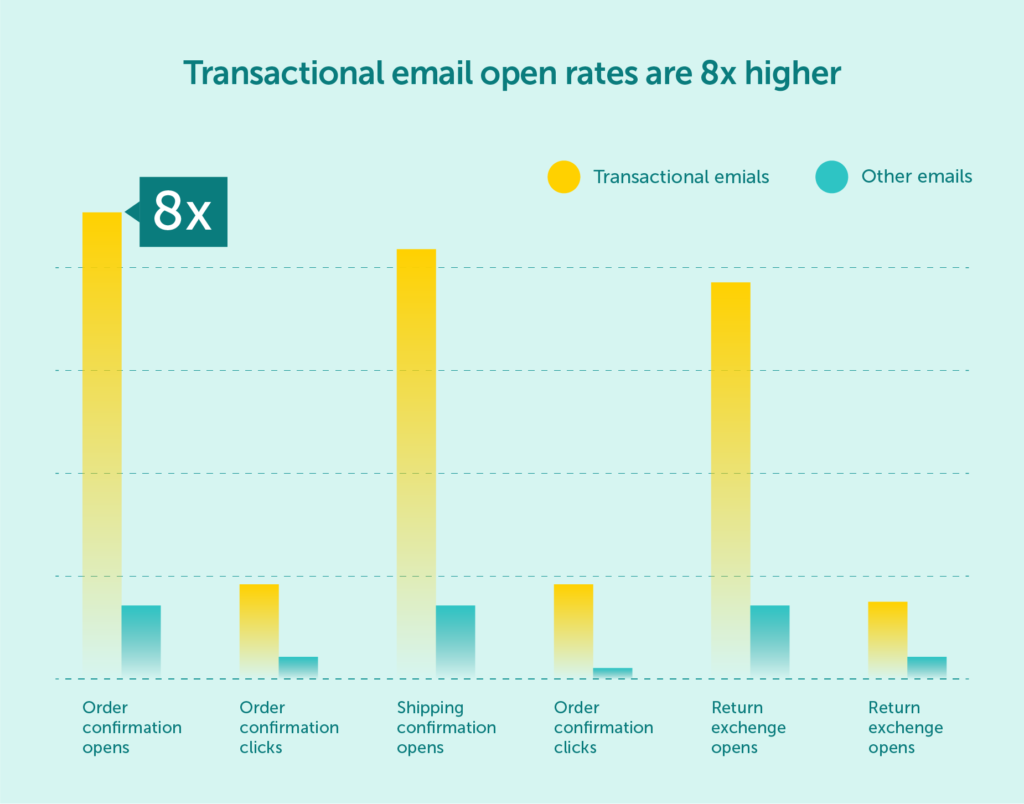
One of the most important yet often underestimated elements in shaping a company’s brand perception is the transactional email. In e-commerce, the design of such messages must be carefully thought out to deliver clear, straightforward information, such as order confirmations or status updates. When crafted with proper attention, these emails become highly effective – especially considering their open and click-through rates are significantly higher due to their anticipated nature.
Well-designed transactional emails do more than just deliver necessary information. They can enhance brand development, improve the customer experience, and even contribute to increased revenue.
Below, we outline the essential principles of creating effective transactional emails, explain how they differ from email marketing, and share best practices that will help your messages stand out in crowded inboxes.
A transactional email is an automated message sent to a customer in response to a specific action they’ve taken on an e-commerce website. Every online store uses them to send, for example:
Other examples of transactional messages include account registration confirmations, newsletter subscription confirmations, password reset instructions, and automated emails as a reply to frequently asked questions.
Transactional emails must reach the recipient’s inbox within seconds, as they are designed for real-time interaction. Often, they also serve to encourage the customer to take the next step in their journey.
Because these messages are triggered by the user’s action, they do not require marketing consent, making it easier to deliver timely and valuable content. With the right strategy, they can also help build loyalty, enhance the customer experience, and discreetly support your sales efforts.

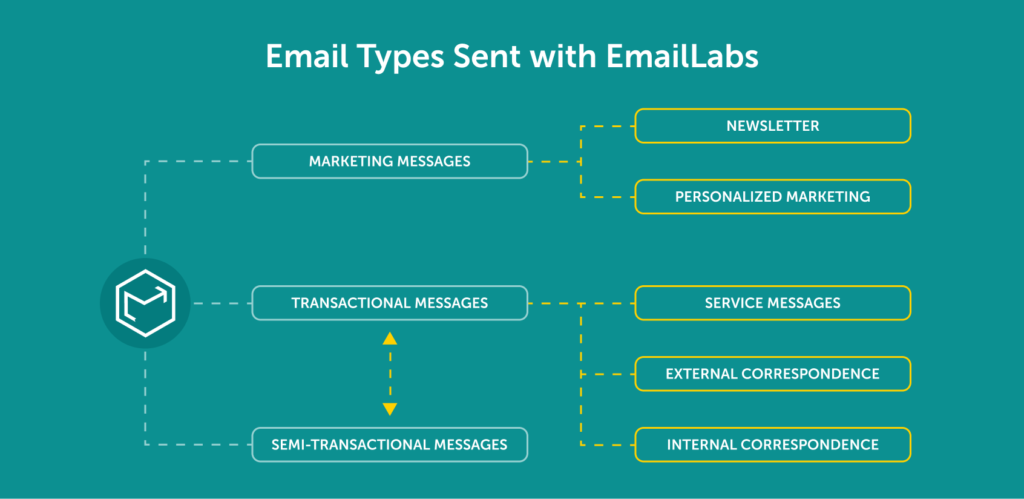
While transactional emails may look similar to marketing emails, their purpose and functionality are fundamentally different:
Transactional emails play a key role in maintaining strong customer relationships by providing crucial updates about their orders and interactions with your brand. To be truly effective, these messages should be clear, visually appealing, and tailored to user expectations.
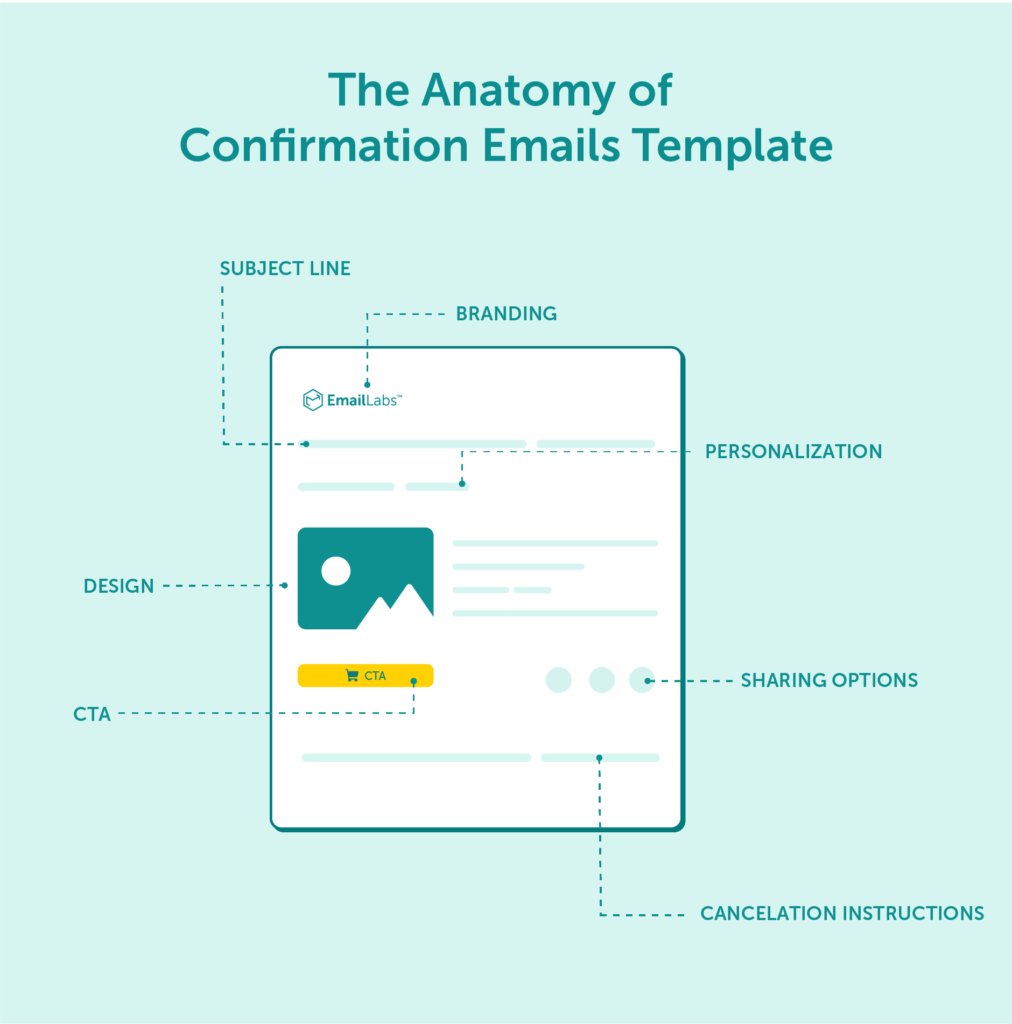
Here are 7 practical tips for designing high-performing transactional emails:
Ensure your email is easy to read and visually structured. Use larger fonts to highlight key details and break the text into short, digestible paragraphs. Color can be used to emphasize elements such as the order number or delivery date.
The email subject line should clearly reflect its purpose, e.g., “Order Confirmation” or “Password Reset.” Keep the message brief and to the point, focusing only on the information the user expects. Avoid lengthy content that may obscure important details. Use bullet points, tables, or clear visual cues to improve readability.
Adopt a tone that’s both professional and friendly. Avoid overly formal language. Personalize the message by addressing the recipient by name and signing off with the name of a customer service representative. Including a photo of the team member can humanize the email and make it more engaging. Where appropriate, consider adding a touch of humor or educational value to increase user interaction.
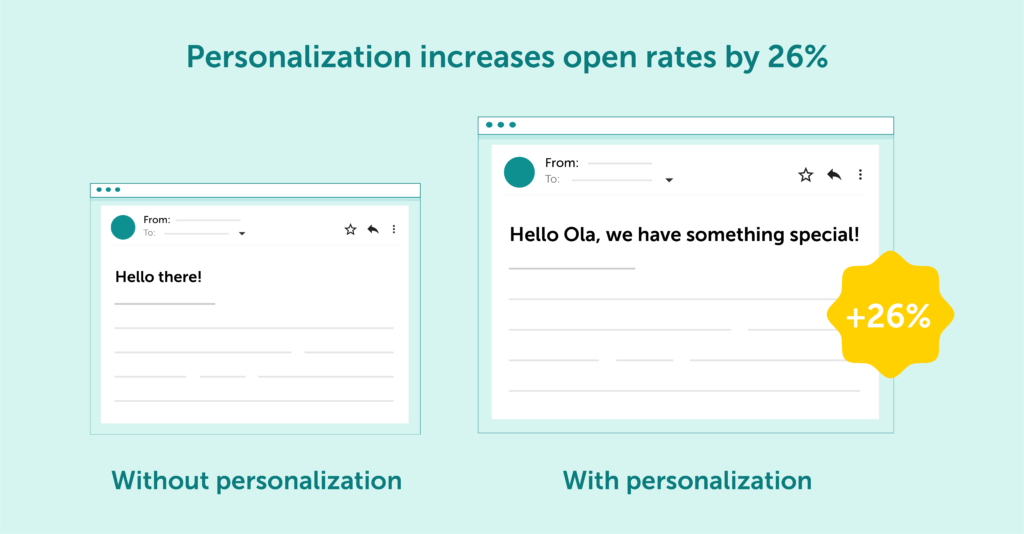
Transactional emails are a great opportunity to highlight your brand’s values or tagline. Including your logo and using your brand’s color palette makes your message instantly recognizable and helps strengthen customer loyalty.
Include a prominent, unambiguous CTA that guides the user on the next step, whether it’s confirming an order, completing a payment, or tracking a delivery. Use a clickable button or link that stands out visually to ensure easy navigation.
Consider adding helpful visuals that assist the user in completing the desired action. For instance, a screenshot from your app showing where to click to finalize a payment can make the process smoother. Make sure your email is fully responsive: use scalable images, legible fonts, and large buttons that are easy to tap on mobile devices.
Always include a visible contact address. Customers should know where to turn in case of any transaction-related issues. Omitting this information may reduce trust and discourage future purchases. It’s also a good idea to include links to your privacy policy and terms of service, which helps reinforce transparency and build trust.
Maximize your email deliverability and security with EmailLabs!
Transactional emails come in various forms, each designed to update customers on their order status or interactions with your website. Every email type serves a distinct function – from confirming purchases to reminding users about items left in their cart. Below are the most common types of transactional emails along with proven optimization techniques to make each message more effective and engaging.
An order confirmation email should include:
This confirmation of account creation is critical for building trust and making a strong first impression. It should contain:
To recover lost sales, an abandoned cart email should feature:
A shipping confirmation email should provide a tracking link and an estimated delivery date. Including a link to your return policy is also recommended to help manage customer expectations and build trust.
A password reset email must be simple and straightforward. It should include:

Well-designed transactional emails can go beyond their basic informational function, becoming a powerful tool for increasing customer engagement and loyalty. By incorporating advanced techniques, you can better tailor the content to each recipient’s specific needs, maximizing the impact of every message. Below are tried-and-tested strategies that can significantly improve the effectiveness of your transactional email communication.
Including product recommendations in emails such as order confirmations allows you to subtly promote complementary or higher-value items. This approach helps increase average order value and creates additional purchase opportunities. Personalized suggestions, based on the customer’s browsing behavior or purchase history, are particularly effective in driving conversions and reinforcing customer interest.
Customizing email content for different customer segments is a proven way to boost relevance and loyalty. For example, new customers can receive onboarding messages that introduce them to your brand, while returning buyers might get loyalty rewards or early access to promotions. Segmentation also allows you to adjust tone, content, and timing to better align with each audience’s expectations.
A/B testing enables you to evaluate which elements of your emails – such as subject lines, content layout, or CTA positioning – generate the best results. Regular testing, combined with performance analysis, allows for continuous improvement of your transactional messages. Even small adjustments can lead to measurable gains in engagement and conversion rates.
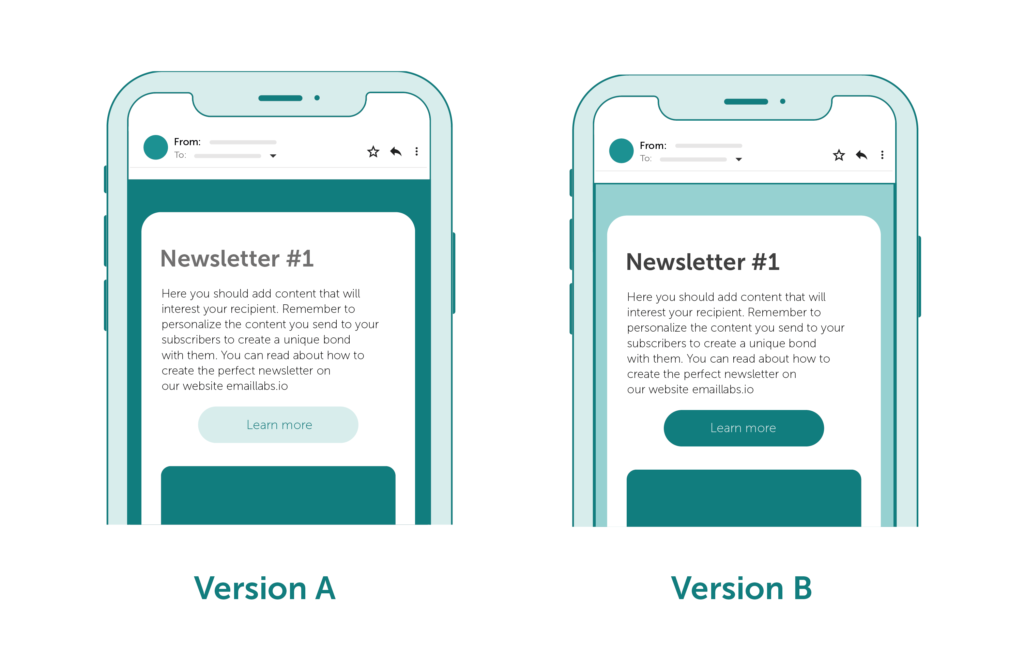
The timing of transactional emails plays a key role in their effectiveness. For example, sending a cart abandonment reminder shortly after the user leaves the site can greatly increase the chances of recovery. Proper scheduling also helps avoid over-communication, which can lead to user fatigue or unsubscribes.
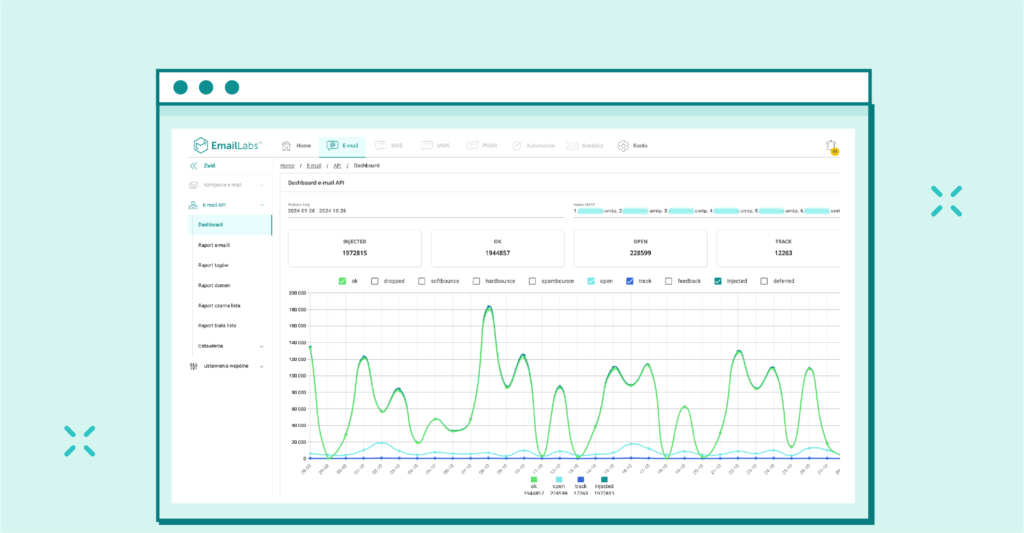
Tracking metrics such as open rates, click-through rates, and conversion rates is essential to refining your email strategy. Detailed analysis helps identify which emails perform well and which require adjustments, enabling data-driven improvements that support both customer satisfaction and business goals.
Transactional emails are more than just notifications, they’re strategic touchpoints that build loyalty and drive engagement. Focusing on clarity, personalization, and subtle CTAs transforms routine messages into meaningful interactions that leave a lasting impression.
Optimizing transactional emails not only improves customer satisfaction but can also directly impact revenue through features like abandoned cart recovery and personalized product suggestions. To maximize effectiveness, it’s critical to send these emails using a reliable infrastructure that ensures deliverability and performance.
That’s where EmailLabs comes in. Our robust infrastructure allows seamless integration with your delivery system and achieves up to 98.8% email deliverability. Our Cloud SMTP and RESTful Email API interfaces ensure precise and timely message delivery. We also prioritize email security, including password protection and authentication protocols. You can learn more about this in our Cybersecurity section.
Ready to boost your email performance? Partner with EmailLabs and reach your customers with confidence.

Product and Technical Insights Specialist
Natalia abandoned her career as an experimental biologist for the digital universe and new technologies. She likes to know something about everything and everything about something. Breathlessly follows and describes news from the email world. Supports EmailLabs users in integrating, analyzing, and reporting deliverability. Helps to increase domain security with implemented DNS records and BIMI standard, moreover educates on good mailing practices.
See more articles
We live in a world where your customers switch seamlessly between laptops, smartphones, and tablets. They navigate a complex digital ecosystem – checking emails, using mobile apps, and reacting...

We are delighted to announce that Vercom S.A., the company behind the EmailLabs project, has successfully completed the ISO 22301 certification process. This significant achievement underscores our commitment to...

EmailLabs, as part of the Vercom group, proudly announces its full commitment to aligning its ICT services with the latest cybersecurity standards. In response to dynamically changing regulations, the...

We are pleased to announce that MessageFlow, a product from the Vercom S.A. group, has received the prestigious CSA (Certified Senders Alliance) Certification. This recognition not only underscores the...

Modern email systems no longer treat the primary inbox as the default destination for every message. The final classification of an email is the result of a multistage evaluation...

Best practices, Maile marketingowe, Marketing E-mails, Transactional Emails
Mass email sending is a critical strategy for business owners, marketers, developers, and nonprofit managers looking to scale their outreach. Whether you are announcing a new product feature, distributing...

Best practices, Marketing E-mails
Customer feedback is the fuel for business growth, but gathering it effectively requires more than just a list of questions. Email surveys remain the most direct channel for understanding...
Modern email systems no longer treat the primary inbox as the default destination for every message. The final classification of an email is the result of a multistage evaluation...
Best practices, Maile marketingowe, Marketing E-mails, Transactional Emails
Mass email sending is a critical strategy for business owners, marketers, developers, and nonprofit managers looking to scale their outreach. Whether you are announcing a new product feature, distributing...
Best practices, Marketing E-mails
Customer feedback is the fuel for business growth, but gathering it effectively requires more than just a list of questions. Email surveys remain the most direct channel for understanding...

Best practices, Email Marketing, Pytania i odpowiedzi
Mail merge combines a template document with data to create personalized communications. This technique saves time by automatically generating individualized letters, emails, and labels without manual entry. What Is...

IT & Tech, Pytania i odpowiedzi, Technical
When an email travels from sender to recipient, it passes through several critical components of email infrastructure. At the heart of this journey sits the Mail Transfer Agent (MTA)...

Best practices, Deliverability, Google and Yahoo's Requirements, Pytania i odpowiedzi
The world of email marketing is constantly evolving, and leading mail service providers – Gmail, Yahoo, Microsoft, and Apple – regularly update their guidelines for senders. In recent years,...

Gmail, Google and Yahoo's Requirements
You might have noticed a new item in your Gmail sidebar recently – the “Manage subscriptions” tab, often flagged with a blue notification dot. While Google announced this feature...
IT & Tech, Pytania i odpowiedzi, Technical
Efficient email communication isn’t just about sending messages — it also involves integrating email functionality into your business systems and applications. Email APIs (Application Programming Interfaces) serve as the...
One of the most important yet often underestimated elements in shaping a company’s brand perception is the transactional email. In e-commerce, the design of such messages must be carefully...


